# Connect Webviews

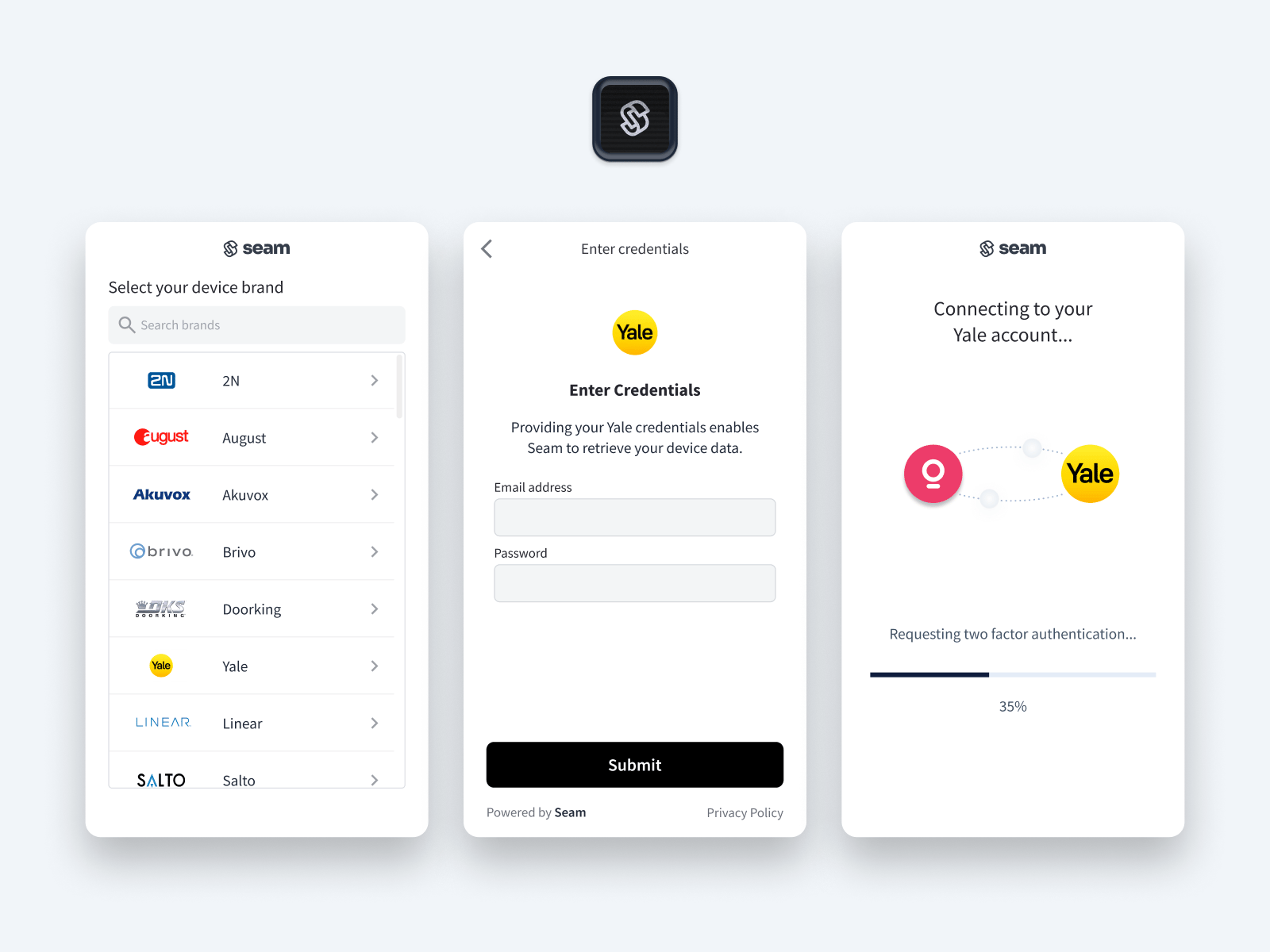
<figure><img src="https://2727122207-files.gitbook.io/~/files/v0/b/gitbook-x-prod.appspot.com/o/spaces%2FxnN2A67918om1UthYWsF%2Fuploads%2Fgit-blob-8cde2f326103b40a29d75527920fbb8ae22427f0%2Fconnect-webview-cover.png?alt=media" alt="The Connect Webview flow walks your users through the process of authorizing your app to control their devices or ACS with the Seam API."><figcaption><p>The Connect Webview flow walks your users through the process of authorizing your app to control their devices or ACS with the Seam API.</p></figcaption></figure>

## What are Connect Webviews?

Seam Connect Webviews are fully-embedded, [customizable](https://docs.seam.co/latest/core-concepts/connect-webviews/customizing-connect-webviews) client-side components that you [add to your app](https://docs.seam.co/latest/core-concepts/connect-webviews/embedding-a-connect-webview-in-your-app) if you want to enable your users to import their own devices or ACS using your app. The Connect Webview flow walks your users through the process of authorizing your app to control their devices or ACS with the Seam API. Using this flow, your app users log in to their device or ACS accounts.

Seam handles all the authentication steps, and—once your user has completed the authorization through your app—you can access and control their devices or ACS using the Seam API. Connect Webviews perform credential validation, multifactor authentication (when applicable), and error handling for each brand that Seam supports. Further, Connect Webviews work across all modern browsers and platforms, including Chrome, Safari, and Firefox.

***

## Get Started with Connect Webviews

First, learn how to [create, display, and complete Connect Webviews](https://docs.seam.co/latest/core-concepts/connect-webviews/connect-webview-process).

Then, learn how to [customize your Connect Webviews](https://docs.seam.co/latest/core-concepts/connect-webviews/customizing-connect-webviews).


---

# Agent Instructions: Querying This Documentation

If you need additional information that is not directly available in this page, you can query the documentation dynamically by asking a question.

Perform an HTTP GET request on the current page URL with the `ask` query parameter:

```
GET https://docs.seam.co/latest/core-concepts/connect-webviews.md?ask=<question>
```

The question should be specific, self-contained, and written in natural language.
The response will contain a direct answer to the question and relevant excerpts and sources from the documentation.

Use this mechanism when the answer is not explicitly present in the current page, you need clarification or additional context, or you want to retrieve related documentation sections.
