

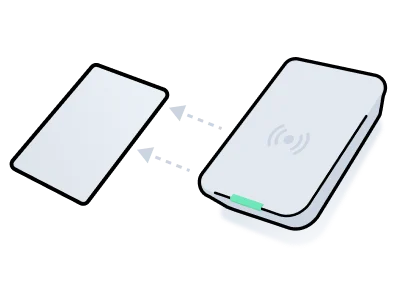
- Create an Access Grant that includes a request for a card access method and identify the ID of the resulting access method. See Create an Access Grant.
-
Use the
/acs/encoders/listendpoint to retrieve a list of available encoders. Then, choose the encoder that you want to use to write the access method onto the card.
See Retrieve Encoders. -
Use the
/access_methods/encodeendpoint to encode the access method onto the card, using the encoder that you have chosen.
See Encode the Card. -
Confirm that the card was encoded successfully using polling or a webhook.
See Confirm Successful Encoding. Also, see a list of common encoding errors.
1. Create an Access Grant
This example shows how to create a card access method as part of an Access Grant. Note that theis_encoding_required property of the resulting access method is true, which means that the access method must be encoded onto a card. Further, once you’ve encoded the access method on to the card, the is_issued property changes to true, and the issued_at property indicates the date and time at which the encoding occurred.
For more details about creating Access Grants, see Creating an Access Grant.
- JavaScript
- cURL
- Python
- Ruby
- PHP
- C#
CodeOutput
2. Retrieve Encoders
There may be multiple encoders at a location, so it’s important to select the right one to encode the credential. This example shows how to retrieve all encoders in a building connected to a single access system. Once you’ve identified the encoder you’d like to use, save theacs_encoder_id of the chosen encoder for the next step.
Code:
3. Encode the Card
Use/acs/encoders/encode_credential to start the card writing procedure that stores the access method data on the plastic key card.
Code:
4. Confirm Successful Encoding
Once you issue a request to encode the access method onto the card, it is important to confirm that the encoding process completes successfully. You can use polling or a webhook.Confirm Successful Encoding by Polling
When you make an/access_methods/encode request, Seam returns an action attempt. To confirm that the card encoding was successful, you can poll this action attempt, until its status becomes success.
Code:
View Access Method Properties
It is also useful to note that Seam assigns values to various card-related properties on the access method when the encoder has finished encoding the card. For example,access_method.issued_at receives a value. You can retrieve the access method to view these properties.
- JavaScript
- cURL
- Python
- Ruby
- PHP
- C#
CodeOutput
Confirm Successful Encoding by Using a Webhook
To confirm successful encoding, you can use a webhook to listen for anaccess_method.issued event that contains the access_method_id in the payload. If you are re-encoding a card, listen for access_method.reissued instead of access_method.issued.
Common Encoding Errors
| Error | Description |
|---|---|
no_card_on_encoder | No card was placed on the encoder. |
incompatible_card_format | A card with an incompatible card format was placed on the encoder. |
uncategorized_error | Any other encoding error. |