# Working with Card Encoders and Scanners

<figure><img src="https://2727122207-files.gitbook.io/~/files/v0/b/gitbook-x-prod.appspot.com/o/spaces%2FxnN2A67918om1UthYWsF%2Fuploads%2Fgit-blob-d693fc67c5d4d6a1a5fe962fe91ba86213f0ed6f%2Fcard-scanner.png?alt=media" alt=""><figcaption></figcaption></figure>

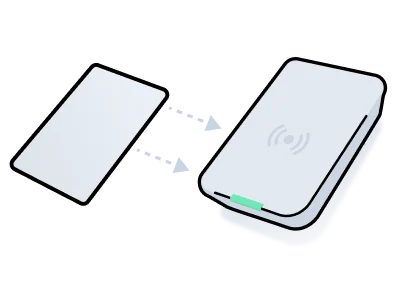
Some access control systems require credentials to be [encoded onto plastic key cards](https://docs.seam.co/latest/capability-guides/access-systems/working-with-card-encoders-and-scanners/creating-and-encoding-card-based-credentials) using a card encoder. This process involves the following two key steps:

1. Credential or access method creation

   Configure the access parameters for the credential or access method.

   Note that to create a card access method, you create an Access Grant that includes a request for a card access method. The resulting Access Grant includes the card access method.
2. Card encoding

   Write the credential or access method data onto the card using a compatible card encoder.
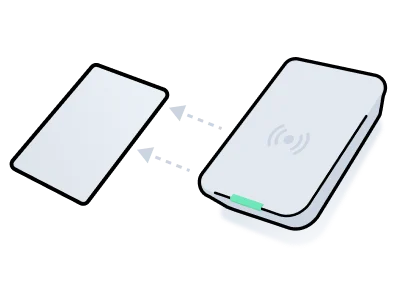
Separately, the Seam API also supports [card scanning](https://docs.seam.co/latest/capability-guides/access-systems/working-with-card-encoders-and-scanners/scanning-encoded-cards), which enables you to scan and read the encoded data on a card. You can use this action to confirm consistency with ACS records or diagnose discrepancies if needed.

To verify if your ACS requires a card encoder, see the [system integration guide](https://docs.seam.co/latest/capability-guides/access-systems) for your ACS.

***

<table data-view="cards"><thead><tr><th></th><th></th><th></th><th data-hidden data-card-target data-type="content-ref"></th><th data-hidden data-card-cover data-type="files"></th></tr></thead><tbody><tr><td><strong>Creating and Encoding Card-based Credentials</strong></td><td></td><td></td><td><a href="working-with-card-encoders-and-scanners/creating-and-encoding-card-based-credentials">creating-and-encoding-card-based-credentials</a></td><td><a href="https://2727122207-files.gitbook.io/~/files/v0/b/gitbook-x-prod.appspot.com/o/spaces%2FxnN2A67918om1UthYWsF%2Fuploads%2Fgit-blob-53db2a9e8f61049a6ca7659a0fb78d4d2fb4ed26%2Fencode-card.png?alt=media">encode-card.png</a></td></tr><tr><td><strong>Creating and Encoding Card Access Methods</strong></td><td></td><td></td><td><a href="working-with-card-encoders-and-scanners/creating-and-encoding-card-access-methods">creating-and-encoding-card-access-methods</a></td><td><a href="https://2727122207-files.gitbook.io/~/files/v0/b/gitbook-x-prod.appspot.com/o/spaces%2FxnN2A67918om1UthYWsF%2Fuploads%2Fgit-blob-53db2a9e8f61049a6ca7659a0fb78d4d2fb4ed26%2Fencode-card.png?alt=media">encode-card.png</a></td></tr><tr><td><strong>Scanning Encoded Cards</strong></td><td></td><td></td><td><a href="working-with-card-encoders-and-scanners/scanning-encoded-cards">scanning-encoded-cards</a></td><td><a href="https://2727122207-files.gitbook.io/~/files/v0/b/gitbook-x-prod.appspot.com/o/spaces%2FxnN2A67918om1UthYWsF%2Fuploads%2Fgit-blob-7adc4ffea290648f2691ff38db89e9171bf281ea%2Fscan-card.png?alt=media">scan-card.png</a></td></tr></tbody></table>