

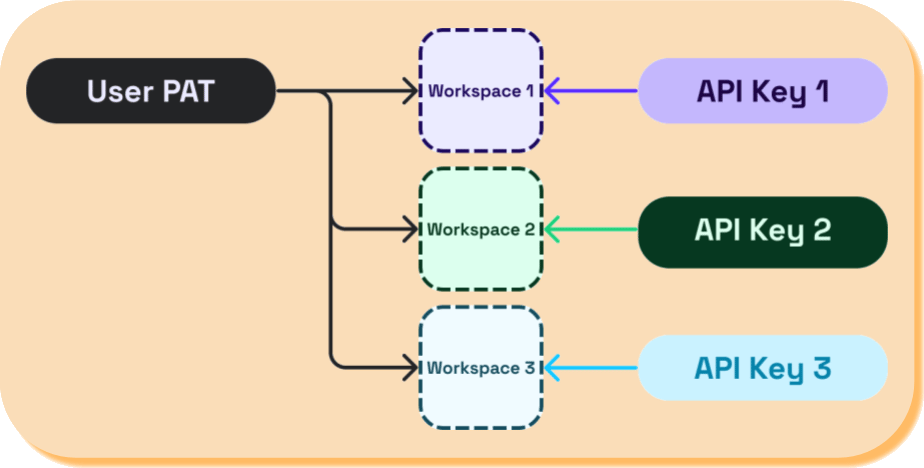
Create a Personal Access Token
- In the top navigation pane of Seam Console, click Developer.
- In the left navigation pane, Personal Access Tokens.
- In the upper-right corner of the Personal Access Tokens page, click Add Personal Access Token.
- In the Add Personal Access Token dialog, type a name for your new PAT and then click Create Personal Access Token.
- Copy the newly-created PAT and store it for future use.
Using the PAT to issue a Seam API request
To use a PAT for authorization in the Seam API, you must specify the PAT in theAuthorization header for the Seam HTTP API or in the seam constructor for the Seam SDK that you are using. You must also specify the ID of the workspace that you want to access. If you are using the Seam HTTP API, include the seam-workspace header with the desired workspace ID. If you are using a Seam SDK, specify the desired workspace ID in the Seam constructor.
The following example shows how to use a PAT and workspace ID to list all devices in a workspace:
Instead of including your PAT in the
Seam constructor, you can export your PAT as a SEAM_API_KEY environment variable. Then, all installed Seam SDKs automatically use this exported PAT.