# UI Components

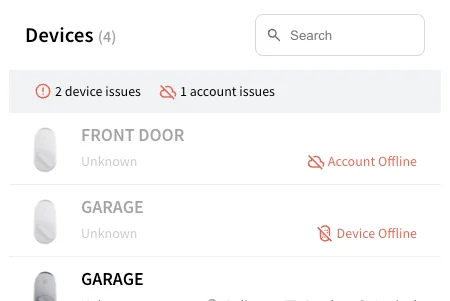
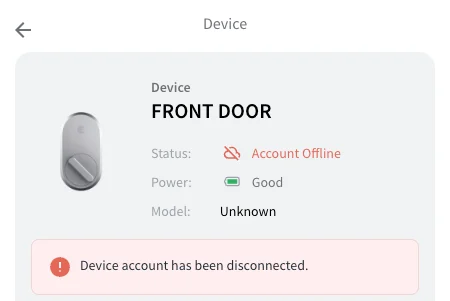
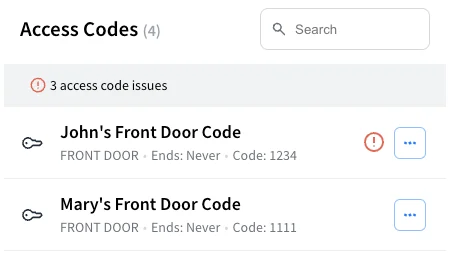
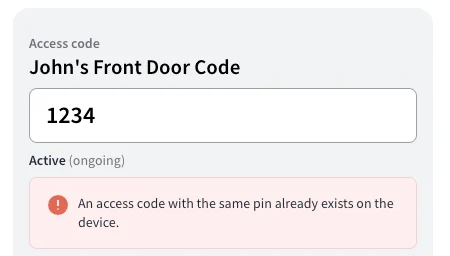
- [Seam Components](https://docs.seam.co/latest/ui-components/overview.md): Create your own device management dashboards with prebuilt UI components.
- [Getting Started with Seam Components](https://docs.seam.co/latest/ui-components/overview/getting-started-with-seam-components.md): Learn how to get started using Seam Components.
- [Get Started with React](https://docs.seam.co/latest/ui-components/overview/getting-started-with-seam-components/get-started-with-react-components-and-client-session-tokens.md): Learn to use Seam Components with your React application
- [Get started with Client Side Components](https://docs.seam.co/latest/ui-components/overview/getting-started-with-seam-components/get-started-with-client-side-components.md): Use Seam Components without touching the backend.
- [Components](https://docs.seam.co/latest/ui-components/overview/react-components.md)
- [Device Details](https://docs.seam.co/latest/ui-components/overview/react-components/device-details.md)
- [Device Table](https://docs.seam.co/latest/ui-components/overview/react-components/device-table.md)
- [Access Code Table](https://docs.seam.co/latest/ui-components/overview/react-components/access-code-table.md)
- [Access Code Details](https://docs.seam.co/latest/ui-components/overview/react-components/access-code-details.md)
- [Create Access Code Form](https://docs.seam.co/latest/ui-components/overview/react-components/create-access-code-form.md)
- [Update Access Code Form](https://docs.seam.co/latest/ui-components/overview/react-components/update-access-code-form.md)
- [Seam Provider](https://docs.seam.co/latest/ui-components/overview/react-components/seam-provider.md): Load in a clientSessionToken into your components.
- [Connect Account Button](https://docs.seam.co/latest/ui-components/overview/react-components/connect-account-button.md): Button that opens up a Connect Webview for connecting a new account
- [Using User Identities to Scope Users' Device Access](https://docs.seam.co/latest/ui-components/overview/using-user-identities-to-scope-users-device-access.md): You can limit your users' access to a subset of devices.
- [Seam Mobile Components](https://docs.seam.co/latest/ui-components/seam-mobile-components.md): Drop-in UI components for unlocking and credential handling, fully customizable to match your app’s brand.
- [Seam Mobile Components for iOS](https://docs.seam.co/latest/ui-components/seam-mobile-components/seam-mobile-components-for-ios.md): Learn how to set up Seam Mobile Components in your iOS project using Swift Package Manager, drop in SeamAccessView for a complete unlock flow, and customize the look with SeamTheme.
- [Theming](https://docs.seam.co/latest/ui-components/seam-mobile-components/seam-mobile-components-for-ios/theming.md): Theming — Apply your brand’s colors, fonts, and styles to Seam Mobile Components with SeamTheme.
- [Colors](https://docs.seam.co/latest/ui-components/seam-mobile-components/seam-mobile-components-for-ios/theming/colors.md): Define semantic colors for text, backgrounds, states, and accents with SeamTheme.Colors.
- [Fonts](https://docs.seam.co/latest/ui-components/seam-mobile-components/seam-mobile-components-for-ios/theming/fonts.md): Set typography roles with SeamTheme.Fonts to match your app’s text hierarchy.
- [Keycard styles](https://docs.seam.co/latest/ui-components/seam-mobile-components/seam-mobile-components-for-ios/theming/keycard-styles.md): Style key card components with custom gradients, logos, corner radius, and shadows.
- [Toast styles](https://docs.seam.co/latest/ui-components/seam-mobile-components/seam-mobile-components-for-ios/theming/toast-styles.md): Configure transient banners by customizing background, text, accent, and layout.
- [UnlockCard styles](https://docs.seam.co/latest/ui-components/seam-mobile-components/seam-mobile-components-for-ios/theming/unlockcard-styles.md): Control unlock card appearance, including header, key button, progress, instructions, and status states.


---

# Agent Instructions: Querying This Documentation

If you need additional information that is not directly available in this page, you can query the documentation dynamically by asking a question.

Perform an HTTP GET request on the current page URL with the `ask` query parameter:

```
GET https://docs.seam.co/latest/ui-components.md?ask=<question>
```

The question should be specific, self-contained, and written in natural language.
The response will contain a direct answer to the question and relevant excerpts and sources from the documentation.

Use this mechanism when the answer is not explicitly present in the current page, you need clarification or additional context, or you want to retrieve related documentation sections.