# Delivering Instant Keys

After creating an Access Grant that includes a mobile key through the Seam API or creating an Instant Key through Seam Console, Seam returns the shareable `instant_key_url` as a property of the new Access Grant. This URL is the Instant Key. You can deliver this key in the following ways, to best match your product flow and guest experience:

* [Share through SMS or email.](#share-through-sms-or-email)
* [Embed in a web or mobile app.](#embed-in-a-web-or-mobile-app)

***

## Share through SMS or Email

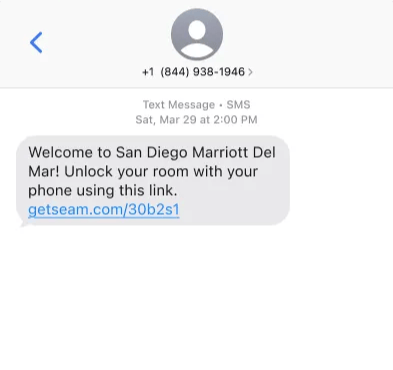
For most use cases—such as hotels, self-touring, and contractors—the simplest way to deliver an Instant Key is by using a link in a text message or email.

This method works well if you already collect the guest's phone number or email at booking.

<figure><img src="https://2727122207-files.gitbook.io/~/files/v0/b/gitbook-x-prod.appspot.com/o/spaces%2FxnN2A67918om1UthYWsF%2Fuploads%2Fgit-blob-b63319e19eeafc160431ebfdc0b34fb1173ecde1%2FTypical.png?alt=media" alt="Example: Share an Instant Key using a text message."><figcaption><p>Example: Share an Instant Key using a text message.</p></figcaption></figure>

***

## Embed in a Web or Mobile App

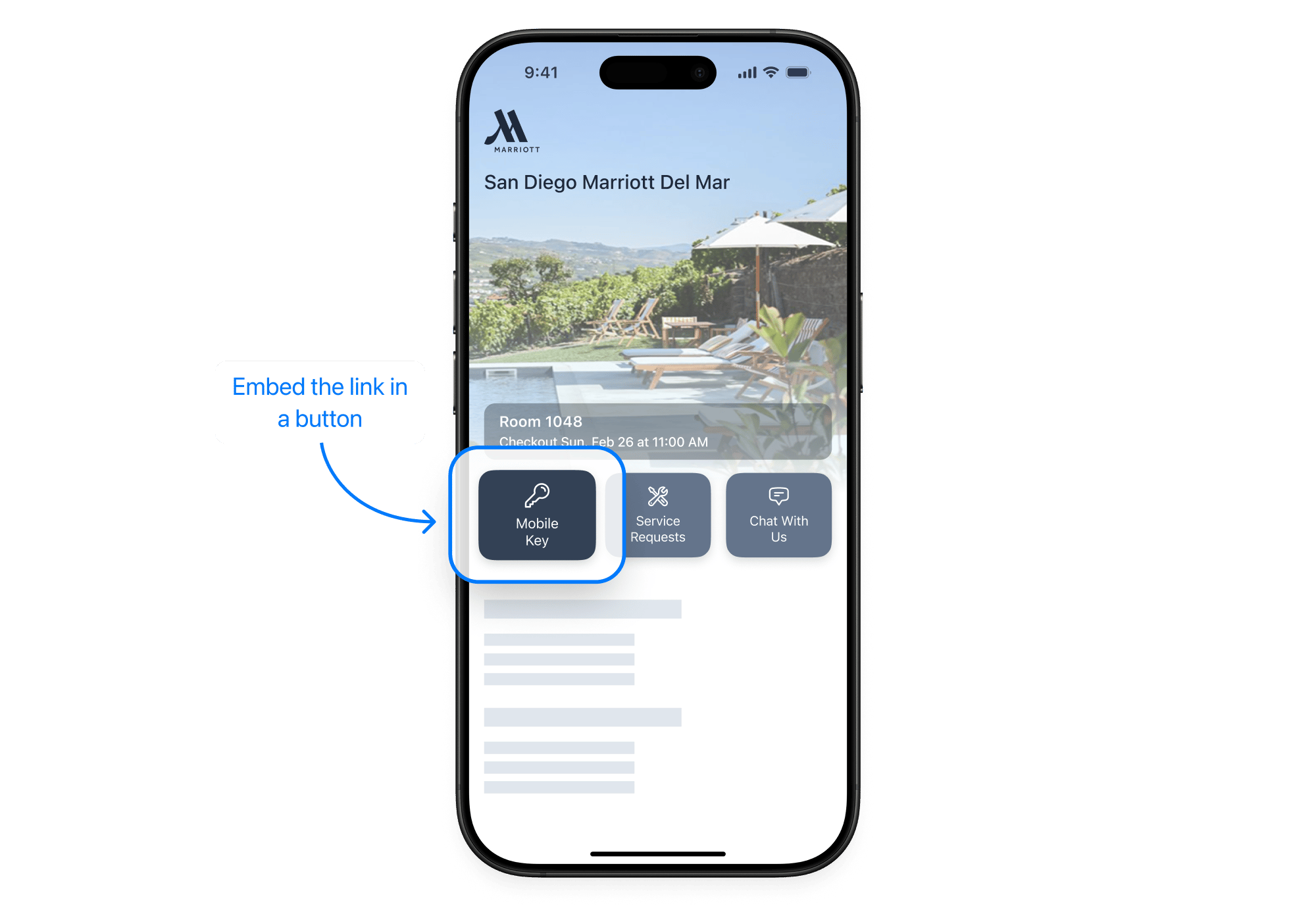
If you have a guest-facing web app or booking portal, you can embed the Instant Key directly in your interface. For example, you could show it in a reservation detail page or check-in flow with a **Mobile Key** or **Unlock Door** button.

<figure><img src="https://2727122207-files.gitbook.io/~/files/v0/b/gitbook-x-prod.appspot.com/o/spaces%2FxnN2A67918om1UthYWsF%2Fuploads%2Fgit-blob-1347668ae119e1c60862b902beebb832adca5e66%2Finstant-key-embedded-in-app.png?alt=media" alt="Example: Embed an Instant Key in an app."><figcaption><p>Example: Embed an Instant Key in an app.</p></figcaption></figure>