> ## Documentation Index
> Fetch the complete documentation index at: https://docs.seam.co/llms.txt
> Use this file to discover all available pages before exploring further.

# Creating and Encoding Card-based Credentials

> Learn how to create a card-based credential and then encode this credential onto a plastic card.

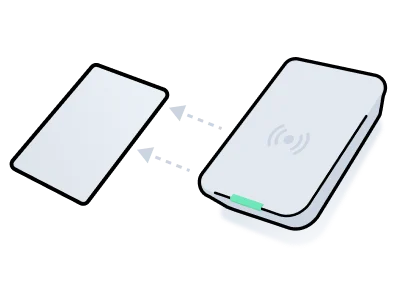
<img src="https://mintcdn.com/seam/GnR-zBVMHFed214Q/images/encode-card.png?fit=max&auto=format&n=GnR-zBVMHFed214Q&q=85&s=a48e2310282ebdd2f68d1155c764a5f4" alt="" width="400" height="300" data-path="images/encode-card.png" />

Some access control systems require encoding a plastic card with the data necessary to enable access. This process involves creating a credential with the required access permissions and then using a card encoder to write the credential onto the card.

This process consists of the following basic steps:

1. Set up an [access system user](../../../low-level-apis/access-systems/user-management) and create a [credential](../managing-credentials#create-a-card-based-credential) with the `access_method` set to `card`.\
   See the [system integration guide](/device-and-system-integration-guides#access-control-systems) for your access system provider to learn specific requirements, such as configuring entrances and access schedules.\
   See [Set Up an Access System User and Card Credential](#1-set-up-an-access-system-user-and-card-credential).
2. Use the `/acs/encoders/list` endpoint to retrieve a list of available encoders. Then, choose the encoder that you want to use to write the credential onto the card.\
   See [Retrieve Encoders](#2-retrieve-encoders).
3. Use the `/acs/encoders/encode_credential` endpoint to encode the credential onto the card, using the encoder that you have chosen.\
   See [Encode the Card](#3-encode-the-card).
4. Confirm that the card was encoded successfully using polling or a [webhook](../../../developer-tools/webhooks).\
   See [Confirm Successful Encoding](#4-confirm-successful-encoding). Also, see a list of [common encoding errors](#common-encoding-errors).

Once you have written a credential to a card, you cannot reuse the credential for another card. That is, you must create a separate credential for each card. However, you can reuse a card by re-encoding the card with a new credential.

***

## 1. **Set Up an Access System User and Card Credential**

This example shows how to create an access system user and card-based credential. Note that the `is_issued` property of the resulting credential is `false`, which means that the credential is ready to be written to a card and has not yet been used to encode a card.

<Info>
  Depending on your specific access control system, creating an access system
  user or credential may require additional parameters. For details, see the
  [system integration
  guide](/device-and-system-integration-guides#access-control-systems)
  for your access system.
</Info>

**Code:**

<CodeGroup>
  ```javascript JavaScript theme={null}
  // Step 1:
  // Create the new access system user.
  const acsUser = await seam.acs.users.create({
    acs_system_id: '11111111-1111-1111-1111-111111111111',
    full_name: 'Jane Doe',
    email_address: 'jane@example.com',
  })

  // Step 2:
  // Create a card-based credential for each entrance for the access system user.
  const credential = await seam.acs.credentials.create({
    acs_user_id: acsUser.acs_user_id,
    access_method: 'card',
    allowed_acs_entrance_ids: [
      // List the IDs of the entrances to which
      // you want to grant access.
      room101.seam_acs_entrance_id,
    ],
    starts_at: '2024-12-01T15:00:00.000Z',
    ends_at: '2024-12-04T12:00:00.000Z',
  })
  ```

  ```bash cURL theme={null}
  # Step 1:
  # Create the new access system user.
  acs_user=$(curl -X 'POST' \
    'https://connect.getseam.com/acs/users/create' \
    -H 'accept: application/json' \
    -H "Authorization: Bearer ${SEAM_API_KEY}" \
    -H 'Content-Type: application/json' \
    -d "{
    \"acs_system_id\": \"11111111-1111-1111-1111-111111111111\",
    \"full_name\": \"Jane Doe\",
    \"email_address\": \"jane@example.com\"
  }")

  # Step 2:
  # Create a card-based credential for each entrance for the access system user.
  # In allowed_entrance_ids, list the IDs of the entrances to
  # which you want to grant access.
  credential=$(curl -X 'POST' \
    'https://connect.getseam.com/acs/credentials/create' \
    -H 'accept: application/json' \
    -H "Authorization: Bearer ${SEAM_API_KEY}" \
    -H 'Content-Type: application/json' \
    -d "{
    \"acs_user_id\": \"$(jq -r '.acs_user.acs_user_id' <<< ${acs_user})\",
    \"access_method\": \"card\",
    \"allowed_acs_entrance_ids\": [
      \"${entrance_id}\"
    ],
    \"starts_at\": \"2024-12-01T15:00:00.000Z\",
    \"ends_at\": \"2024-12-04T12:00:00.000Z\"
  }")
  ```

  ```python Python theme={null}
  # Step 1:
  # Create the new access system user.
  acs_user = seam.acs.users.create(
    acs_system_id = "11111111-1111-1111-1111-111111111111",
    full_name = "Jane Doe",
    email_address = "jane@example.com"
  )

  # Step 2:
  # Create a card-based credential for each entrance for the access system user.
  credential = seam.acs.credentials.create(
    acs_user_id = acs_user.acs_user_id,
    access_method = "card",
    # List the IDs of the entrances to which
    # you want to grant access.
    allowed_acs_entrance_ids = [
      room_101.seam_acs_entrance_id
    ],
    starts_at = "2024-12-01T15:00:00.000Z",
    ends_at = "2024-12-04T12:00:00.000Z"
  )
  ```

  ```ruby Ruby theme={null}
  # Step 1:
  # Create the new access system user.
  acs_user = seam.acs.users.create(
    acs_system_id: "11111111-1111-1111-1111-111111111111",
    full_name: "Jane Doe",
    email_address: "jane@example.com"
  )

  # Step 2:
  # Create a card-based credential for each entrance for the access system user.
  credential = seam.acs.credentials.create(
    acs_user_id: acs_user.acs_user_id,
    access_method: "card",
    # List the IDs of the entrances to which
    # you want to grant access.
    allowed_acs_entrance_ids: [
      room_101.seam_acs_entrance_id
    ],
    starts_at: "2024-12-01T15:00:00.000Z",
    ends_at: "2024-12-04T12:00:00.000Z"
  )
  ```

  ```php PHP theme={null}
  // Step 1:
  // Create the new access system user.
  $acs_user = $seam->acs->users->create(
    acs_system_id: "11111111-1111-1111-1111-111111111111",
    full_name: "Jane Doe",
    email_address: "jane@example.com"
  );

  // Step 2:
  // Create a card-based credential for each entrance for the access system user.
  $credential = $seam->acs->credentials->create(
    acs_user_id: $acs_user->acs_user_id,
    access_method: "card",
    allowed_acs_entrance_ids: [
      // List the IDs of the entrances to which
      // you want to grant access.
      $room_101->seam_acs_entrance_id
    ],
    starts_at: "2024-12-01T15:00:00.000Z",
    ends_at: "2024-12-04T12:00:00.000Z"
  );
  ```

  ```csharp C# theme={null}
  // Step 1:
  // Create the new access system user.
  AcsUser acsUser = seam.UsersAcs.Create(
    acsSystemId: "11111111-1111-1111-1111-111111111111",
    fullName: "Jane Doe",
    emailAddress: "jane@example.com"
  );

  // Step 2:
  // Create a card-based credential for each entrance for the access system user.
  AcsCredential credential = seam.CredentialsAcs.Create(
    acsUserId: acsUser.acsUserId,
    accessMethod: "card",
    allowedAcsEntranceIds: new List<string>
    {
      // List the IDs of the entrances to which
      // you want to grant access.
      room_101.acsEntranceId
    },
    startsAt: "2024-12-01T15:00:00.000Z",
    endsAt: "2024-12-04T12:00:00.000Z"
  );
  ```
</CodeGroup>

**Output:**

<CodeGroup>
  ```json JavaScript theme={null}
  {
    acs_credential_id: '66666666-6666-6666-6666-666666666666',
    acs_user_id: '33333333-3333-3333-3333-333333333333',
    access_method: 'card',
    starts_at: '2024-12-01T15:00:00.000Z',
    ends_at: '2024-12-04T12:00:00.000Z',
    is_issued: false,
    ...
  }
  ```

  ```json cURL theme={null}
  {
    "acs_credential":
      {
        "acs_credential_id": "66666666-6666-6666-6666-666666666666",
        "acs_user_id": "33333333-3333-3333-3333-333333333333",
        "access_method": "card",
        "starts_at": "2024-12-01T15:00:00.000Z",
        "ends_at": "2024-12-04T12:00:00.000Z",
        "is_issued": false,
        ...
      },
    "ok":true
  }
  ```

  ```json Python theme={null}
  AcsCredential(
    acs_credential_id='66666666-6666-6666-6666-666666666666',
    acs_user_id='33333333-3333-3333-3333-333333333333',
    access_method='card',
    starts_at='2024-12-01T15:00:00.000Z',
    ends_at='2024-12-04T12:00:00.000Z',
    is_issued=False
    ...
  )
  ```

  ```json Ruby theme={null}
  <Seam::Resources::AcsCredential:0x00410
    acs_credential_id="66666666-6666-6666-6666-666666666666"
    acs_user_id="33333333-3333-3333-3333-333333333333"
    access_method="card"
    starts_at="2024-12-01T15:00:00.000Z"
    ends_at="2024-12-04T12:00:00.000Z"
    is_issued=false
    ...
  >
  ```

  ```json PHP theme={null}
  {
    "acs_credential_id": "66666666-6666-6666-6666-666666666666",
    "acs_user_id": "33333333-3333-3333-3333-333333333333",
    "access_method": "card",
    "starts_at": "2024-12-01T15:00:00.000Z",
    "ends_at": "2024-12-04T12:00:00.000Z",
    "is_issued": false,
    ...
  }
  ```

  ```json C# theme={null}
  {
    "acs_credential_id": "66666666-6666-6666-6666-666666666666",
    "acs_user_id": "33333333-3333-3333-3333-333333333333",
    "access_method": "card",
    "starts_at": "2024-12-01T15:00:00Z",
    "ends_at": "2024-12-04T12:00:00Z",
    "is_issued": false,
    ...
  }
  ```
</CodeGroup>

***

## 2. Retrieve Encoders

There may be multiple encoders at a location, so it’s important to select the right one to encode the credential.

This example shows how to retrieve all encoders in a building connected to a single access system. Once you've identified the encoder you'd like to use, save the `acs_encoder_id` of the chosen encoder for the next step.

**Code:**

<CodeGroup>
  ```javascript JavaScript theme={null}
  await seam.acs.encoders.list({
    acs_system_ids: [buildingSystemId],
  })
  ```

  ```bash cURL theme={null}
  curl -X 'POST' \
    'https://connect.getseam.com/acs/encoders/list' \
    -H 'accept: application/json' \
    -H "Authorization: Bearer ${SEAM_API_KEY}" \
    -H 'Content-Type: application/json' \
    -d "{
    \"acs_system_ids\": [\"${building_system_id}\"]
  }"
  ```

  ```python Python theme={null}
  seam.acs.encoders.list(
    acs_system_ids = [building_system_id]
  )
  ```

  ```ruby Ruby theme={null}
  seam.acs.encoders.list(
    acs_system_ids: [building_system_id]
  )
  ```

  ```php PHP theme={null}
  $seam->acs->encoders->list(
    acs_system_ids: [building_system_id]
  );
  ```

  ```csharp C# theme={null}
  seam.EncodersAcs.List(
    acsSystemIds: new List<string>
    {
      buildingSystemId
    }
  );
  ```
</CodeGroup>

**Output:**

<CodeGroup>
  ```json JavaScript theme={null}
  [
    {
      acs_encoder_id: '33333333-4444-5555-6666-777777777777',
      display_name: 'Front Desk',
      ...
    },
    ...
  ]
  ```

  ```json cURL theme={null}
  {
    "acs_encoders": [
      {
        "acs_encoder_id": "33333333-4444-5555-6666-777777777777",
        "display_name": "Front Desk",
        ...
      },
      ...
    ],
    "ok": true
  }
  ```

  ```json Python theme={null}
  [
    AcsEncoder(
      acs_encoder_id='33333333-4444-5555-6666-777777777777',
      display_name='Front Desk',
      ...
    )
    ...
  ]
  ```

  ```json Ruby theme={null}
  [
    <Seam::Resources::AcsEncoder:0x00410
      acs_encoder_id="33333333-4444-5555-6666-777777777777"
      display_name="Front Desk"
      ...
    >,
    ...
  ]
  ```

  ```json PHP theme={null}
  [
    {
      "acs_encoder_id": "33333333-4444-5555-6666-777777777777",
      "display_name": "Front Desk",
      ...
    },
    ...
  ]
  ```

  ```json C# theme={null}
  {
    "acs_encoder_id": "33333333-4444-5555-6666-777777777777",
    "display_name": "Front Desk",
    ...
  }
  ...
  ```
</CodeGroup>

***

## 3. Encode the Card

Use `/acs/encoders/encode_credential` to start the card writing procedure that stores the credential data on the plastic key card.

**Code:**

<CodeGroup>
  ```javascript JavaScript theme={null}
  const encodingActionAttempt = await seam.acs.encoders.encodeCredential({
    acs_credential_id: credential.acs_credential_id,
    acs_encoder_id: encoder.acs_encoder_id,
  })
  ```

  ```bash cURL theme={null}
  encoding_action_attempt=$(curl -X 'POST' \
    'https://connect.getseam.com/acs/encoders/encode_credential' \
    -H 'accept: application/json' \
    -H "Authorization: Bearer ${SEAM_API_KEY}" \
    -H 'Content-Type: application/json' \
    -d "{
    \"acs_credential_id\": \"$(jq -r '.acs_credential.acs_credential_id' <<< ${credential})\",
    \"acs_encoder_id\": \"${acs_encoder_id}\"
  }")
  ```

  ```python Python theme={null}
  encoding_action_attempt = seam.acs.encoders.encode_credential(
    acs_credential_id = credential.acs_credential_id,
    acs_encoder_id = encoder.acs_encoder_id
  )
  ```

  ```ruby Ruby theme={null}
  encoding_action_attempt = seam.acs.encoders.encode_credential(
    acs_credential_id: credential.acs_credential_id,
    acs_encoder_id: encoder.acs_encoder_id
  )
  ```

  ```php PHP theme={null}
  $encoding_action_attempt = $seam->acs->encoders->encode_credential(
    acs_credential_id: $credential->acs_credential_id,
    acs_encoder_id: $encoder->acs_encoder_id
  );
  ```

  ```csharp C# theme={null}
  actionAttempt encodingActionAttempt = seam.EncodersAcs.EncodeCredential(
    acsCredentialId: credential.acsCredentialId,
    acsEncoderId: encoder.acsEncoderId
  );
  ```
</CodeGroup>

**Output:**

<CodeGroup>
  ```json JavaScript theme={null}
  {
    status: 'pending',
    action_attempt_id: '11111111-2222-3333-4444-555555555555",
    action_type: 'ENCODE_CREDENTIAL',
    result: null,
    error: null
  }
  ```

  ```json cURL theme={null}
  {
    "action_attempt": {
      "status": "pending",
      "action_attempt_id": "11111111-2222-3333-4444-555555555555",
      "action_type": "ENCODE_CREDENTIAL",
      "result": null,
      "error": null
    },
    "ok": true
  }
  ```

  ```json Python theme={null}
  ActionAttempt(
    status='pending',
    action_attempt_id='11111111-2222-3333-4444-555555555555',
    action_type='ENCODE_CREDENTIAL',
    result=null,
    error=null
  )
  ```

  ```json Ruby theme={null}
  <Seam::Resources::ActionAttempt:0x00410
    status="pending"
    action_attempt_id="11111111-2222-3333-4444-555555555555"
    action_type="ENCODE_CREDENTIAL"
    result=nil
    error=nil
  >
  ```

  ```json PHP theme={null}
  {
    "status": "pending",
    "action_attempt_id": "11111111-2222-3333-4444-555555555555",
    "action_type": "ENCODE_CREDENTIAL",
    "result": null,
    "error": null
  }
  ```

  ```json C# theme={null}
  {
    "status": "pending",
    "action_attempt_id": "11111111-2222-3333-4444-555555555555",
    "action_type": "ENCODE_CREDENTIAL",
    "result": null,
    "error": null
  }
  ```
</CodeGroup>

***

## 4. Confirm Successful Encoding

Once you issue a request to encode the credential onto the card, it is important to confirm that the encoding process completes successfully. You can use polling or a [webhook](../../../developer-tools/webhooks).

### Confirm Successful Encoding by Polling

When you make an `/acs/encoders/encode_credential` request, Seam returns an [action attempt](../../../core-concepts/action-attempts). To confirm that the card encoding was successful, you can poll this action attempt, until its `status` becomes `success`.

**Code:**

<CodeGroup>
  ```javascript JavaScript theme={null}
  await seam.actionAttempts.get({
    action_attempt_id: encodingActionAttempt.action_attempt_id,
  })
  ```

  ```bash cURL theme={null}
  curl -X 'POST' \
    'https://connect.getseam.com/action_attempts/get' \
    -H 'accept: application/json' \
    -H "Authorization: Bearer ${SEAM_API_KEY}" \
    -H 'Content-Type: application/json' \
    -d "{
    \"action_attempt_id\": \"$(jq -r '.action_attempt.action_attempt_id' <<< ${encoding_action_attempt})\"
  }"
  ```

  ```python Python theme={null}
  seam.action_attempts.get(
    action_attempt_id = encoding_action_attempt.action_attempt_id
  )
  ```

  ```ruby Ruby theme={null}
  seam.action_attempts.get(
    action_attempt_id: encoding_action_attempt.action_attempt_id
  )
  ```

  ```php PHP theme={null}
  $seam->action_attempts->get(
    action_attempt_id: $encoding_action_attempt->action_attempt_id
  );
  ```

  ```csharp C# theme={null}
  seam.ActionAttempts.Get(
    actionAttemptId: encodingActionAttempt.actionAttemptId
  );
  ```
</CodeGroup>

**Output:**

<CodeGroup>
  ```json JavaScript theme={null}
  {
    status: 'success',
    action_attempt_id: '11111111-2222-3333-4444-555555555555",
    action_type: 'ENCODE_CREDENTIAL',
    result: {
      acs_credential_id: "66666666-6666-6666-6666-666666666666',
      card_number: '1234abc',
      is_issued: true,
      issued_at: '2024-10-23T19:46:06.113Z',
      ...
    },
    error: null
  }
  ```

  ```json cURL theme={null}
  {
    "action_attempt":
      {
        "status": "success",
        "action_attempt_id": "11111111-2222-3333-4444-555555555555",
        "action_type": "ENCODE_CREDENTIAL",
        "result": {
          "acs_credential_id": "66666666-6666-6666-6666-666666666666",
          "card_number": "1234abc",
          "is_issued": true,
          "issued_at": "2024-10-23T19:46:06.113Z",
          ...
        },
        "error": null
      },
    "ok": true
  }
  ```

  ```json Python theme={null}
  ActionAttempt(
    status='success',
    action_attempt_id='11111111-2222-3333-4444-555555555555',
    action_type='ENCODE_CREDENTIAL',
    result={
      acs_credential_id='66666666-6666-6666-6666-666666666666',
      card_number='1234abc',
      is_issued=True,
      issued_at='2024-10-23T19:46:06.113Z',
      ...
    },
    error=null
  )
  ```

  ```json Ruby theme={null}
  <Seam::Resources::ActionAttempt:0x00410
    status="success"
    action_attempt_id="11111111-2222-3333-4444-555555555555"
    action_type="ENCODE_CREDENTIAL"
    result={
      acs_credential_id="66666666-6666-6666-6666-666666666666"
      card_number="1234abc"
      is_issued=true,
      issued_at="2024-10-23T19:46:06.113Z"
      ...
    }
    error=nil
  >
  ```

  ```json PHP theme={null}
  {
    "status": "success",
    "action_attempt_id": "11111111-2222-3333-4444-555555555555",
    "action_type": "ENCODE_CREDENTIAL",
    "result": {
      "acs_credential_id": "66666666-6666-6666-6666-666666666666",
      "card_number": "1234abc",
      "is_issued": true,
      "issued_at": "2024-10-23T19:46:06.113Z",
      ...
    },
    "error": null
  }
  ```

  ```json C# theme={null}
  {
    "status": "success",
    "action_attempt_id": "11111111-2222-3333-4444-555555555555",
    "action_type": "ENCODE_CREDENTIAL",
    "result": {
      "acs_credential_id": "66666666-6666-6666-6666-666666666666",
      "card_number": "1234abc",
      "is_issued": true,
      "issued_at": "2024-10-23T19:46:06.113Z",
      ...
    },
    "error": null
  }
  ```
</CodeGroup>

#### View Credential Properties

It is also useful to note that Seam assigns values to various card-related properties on the credential when the encoder has finished encoding the card. For example, `acs_credential.is_issued` becomes `true`, and `acs_credential.card_number` and `acs_credential.issued_at` receive values. You can retrieve the credential to view these properties.

**Code:**

<CodeGroup>
  ```javascript JavaScript theme={null}
  await seam.acs.credentials.get({
    acs_credential_id: credential.acs_credential_id,
  })
  ```

  ```bash cURL theme={null}
  curl -X 'POST' \
    'https://connect.getseam.com/acs/credentials/get' \
    -H 'accept: application/json' \
    -H "Authorization: Bearer ${SEAM_API_KEY}" \
    -H 'Content-Type: application/json' \
    -d "{
    \"acs_credential_id\": \"$(jq -r '.acs_credential.acs_credential_id' <<< ${credential})\"
  }"
  ```

  ```python Python theme={null}
  seam.acs.credentials.get(
    acs_credential_id = credential.acs_credential_id
  )
  ```

  ```ruby Ruby theme={null}
  seam.acs.credentials.get(
    acs_credential_id: credential.acs_credential_id
  )
  ```

  ```php PHP theme={null}
  $seam->acs->credentials->get(
    acs_credential_id: $credential->acs_credential_id
  );
  ```

  ```csharp C# theme={null}
  seam.CredentialsAcs.Get(
    acsCredentialId: credential.acsCredentialId
  );
  ```
</CodeGroup>

**Output:**

<CodeGroup>
  ```json JavaScript theme={null}
  {
    acs_credential_id: '66666666-6666-6666-6666-666666666666',
    acs_user_id: '33333333-3333-3333-3333-333333333333',
    access_method: 'card',
    starts_at: '2024-12-01T15:00:00.000Z',
    ends_at: '2024-12-04T12:00:00.000Z',
    is_issued: true,
    card_number: '1234abc',
    issued_at: '2024-10-23T19:46:06.113Z',
    ...
  }
  ```

  ```json cURL theme={null}
  {
    "acs_credential":
      {
        "acs_credential_id": "66666666-6666-6666-6666-666666666666",
        "acs_user_id": "33333333-3333-3333-3333-333333333333",
        "access_method": "card",
        "starts_at": "2024-12-01T15:00:00.000Z",
        "ends_at": "2024-12-04T12:00:00.000Z",
        "is_issued": true,
        "card_number": "1234abc",
        "issued_at": "2024-10-23T19:46:06.113Z",
        ...
      },
    "ok":true
  }
  ```

  ```json Python theme={null}
  AcsCredential(
    acs_credential_id='66666666-6666-6666-6666-666666666666',
    acs_user_id='33333333-3333-3333-3333-333333333333',
    access_method='card',
    starts_at='2024-12-01T15:00:00.000Z',
    ends_at='2024-12-04T12:00:00.000Z',
    is_issued=True,
    card_number='1234abc',
    issued_at='2024-10-23T19:46:06.113Z',
    ...
  )
  ```

  ```json Ruby theme={null}
  <Seam::Resources::AcsCredential:0x00410
    acs_credential_id="66666666-6666-6666-6666-666666666666"
    acs_user_id="33333333-3333-3333-3333-333333333333"
    access_method="card"
    starts_at="2024-12-01T15:00:00.000Z"
    ends_at="2024-12-04T12:00:00.000Z"
    is_issued=true
    card_number="1234abc"
    issued_at="2024-10-23T19:46:06.113Z"
    ...
  >
  ```

  ```json PHP theme={null}
  {
    "acs_credential_id": "66666666-6666-6666-6666-666666666666",
    "acs_user_id": "33333333-3333-3333-3333-333333333333",
    "access_method": "card",
    "starts_at": "2024-12-01T15:00:00.000Z",
    "ends_at": "2024-12-04T12:00:00.000Z",
    "is_issued": true,
    "card_number": "1234abc",
    "issued_at": "2024-10-23T19:46:06.113Z",
    ...
  }
  ```

  ```json C# theme={null}
  {
    "acs_credential_id": "66666666-6666-6666-6666-666666666666",
    "acs_user_id": "33333333-3333-3333-3333-333333333333",
    "access_method": "card",
    "starts_at": "2024-12-01T15:00:00.000Z",
    "ends_at": "2024-12-04T12:00:00.000Z",
    "is_issued": true,
    "card_number": "1234abc",
    "issued_at": "2024-10-23T19:46:06.113Z",
    ...
  }
  ```
</CodeGroup>

***

### Confirm Successful Encoding by Using a Webhook

To confirm successful encoding, you can use a [webhook](../../../developer-tools/webhooks) to listen for an `acs_credential.issued` event that contains the `acs_credential_id` in the payload. If you are re-encoding a card, listen for `acs_credential.reissued` instead of `acs_credential.issued`.

```json theme={null}
{
  "event_id": "22222222-3333-4444-5555-666666666666",
  "event_description": "An ACS credential was issued.",
  "event_type": "acs_credential.issued",
  "workspace_id": "00000000-0000-0000-0000-000000000000",
  "created_at": "2024-10-23T19:47:35.375Z",
  "occurred_at": "2024-10-23T19:47:35.356Z",
  "acs_system_id": "11111111-1111-1111-1111-111111111111",
  "acs_credential_id": "66666666-6666-6666-6666-666666666666",
  "connected_account_id": "11111111-1111-1111-1111-222222222222"
}
```

***

## Common Encoding Errors

<table>
  <thead>
    <tr>
      <th width="309">Error</th>
      <th>Description</th>
    </tr>
  </thead>

  <tbody>
    <tr>
      <td>
        <code>no\_card\_on\_encoder</code>
      </td>

      <td>No card was placed on the encoder.</td>
    </tr>

    <tr>
      <td>
        <code>incompatible\_card\_format</code>
      </td>

      <td>
        A card with an incompatible card format was placed on the encoder.
      </td>
    </tr>

    <tr>
      <td>
        <code>uncategorized\_error</code>
      </td>

      <td>Any other encoding error.</td>
    </tr>
  </tbody>
</table>
