> ## Documentation Index
> Fetch the complete documentation index at: https://docs.seam.co/llms.txt
> Use this file to discover all available pages before exploring further.
# Managing Credentials
> Learn how to manage credentials and assign them to users.
This is a low-level API. For granting a person access, use [Access
Grants](/use-cases/granting-access/index)—the default and recommended way to
grant access to any physical space. We don't recommend building on the ACS
credential API directly unless you specifically need low-level control over
individual credentials (or have discussed your use case with the Seam team at
[support@seam.co](mailto:support@seam.co)).
An ACS generally uses digital means of access to authorize an [ACS user](../../low-level-apis/access-systems/user-management) trying to get through a specific entrance. Examples of credentials include plastic key cards, mobile keys, biometric identifiers, and PIN codes. The electronic nature of these credentials, as well as the fact that access is centralized, enables both the rapid provisioning and rescinding of access and the ability to compile access audit logs.
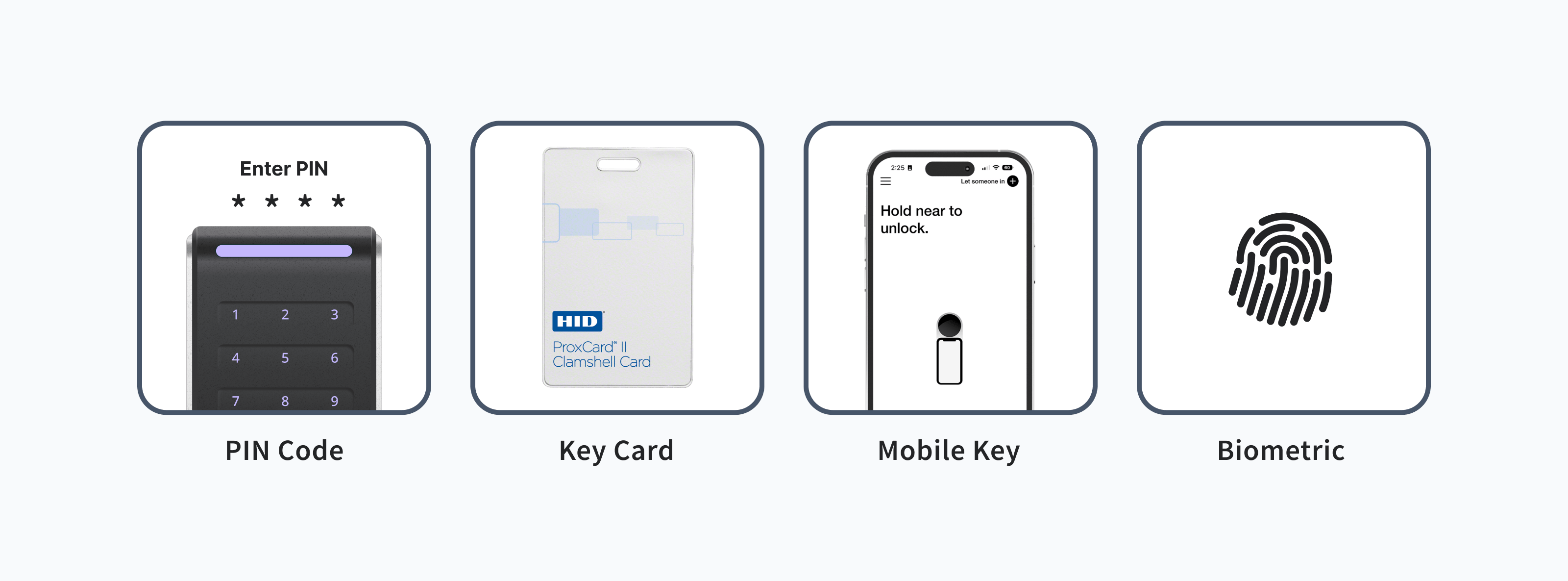 This guide provides instructions for creating and deleting various types of credentials.
You can assign a credential to an ACS user when you create the credential. You
can also [assign an existing credential to an ACS
user](/low-level-apis/access-systems/managing-credentials/assigning-credentials-to-users#assign-a-credential-to-an-acs-user).
Further, you can [unassign a credential from an ACS
user](/low-level-apis/access-systems/managing-credentials/assigning-credentials-to-users#unassign-a-credential-from-an-acs-user)
without deleting the credential.
***
## Create a Credential for an ACS User
To [create a credential for an ACS user](/api/acs/credentials/create), provide the `acs_user_id` and the desired `access_method`. Seam supports the following access methods:
* `code` for a PIN code-based credential
* `card` for a plastic key card-based credential
* `mobile_key` for a [Seam mobile key](/capability-guides/mobile-access/issuing-mobile-credentials-from-an-access-control-system#what-are-multi-phone-sync-credentials).
Depending on the ACS and the type of credential you are issuing, you can also specify the following properties for the new credential:
* PIN code.
* Start and end time frame for the validity of the credential.
* Whether the credential is a multi-phone sync credential.\
When creating a Seam mobile key, make sure to issue a multi-phone sync credential by setting `is_multi_phone_sync_credential` to `true`.
* Manufacturer-specific data.
Make sure to note any manufacturer-specific metadata and restrictions. For
details, see the applicable [device or system integration
guide](/device-and-system-integration-guides).
The response includes the `acs_credential_id` of the newly-created credential, the `acs_user_id` associated with the credential, and additional attributes of the credential.
If you are creating card-based credentials, and your ACS requires card
encoding, see also [Creating and Encoding Card-based
Credentials](/low-level-apis/access-systems/working-with-card-encoders-and-scanners/creating-and-encoding-card-based-credentials).
***
### Create a PIN Code-based Credential
**Request:**
```javascript JavaScript theme={null}
await seam.acs.credentials.create({
acs_user_id: '33333333-3333-3333-3333-333333333333',
access_method: 'code',
code: '824759',
})
```
```bash cURL theme={null}
curl -X 'POST' \
'https://connect.getseam.com/acs/credentials/create' \
-H 'accept: application/json' \
-H "Authorization: Bearer ${API_KEY}" \
-H 'Content-Type: application/json' \
-d '{
"acs_user_id": "33333333-3333-3333-3333-333333333333",
"access_method": "code",
"code": "824759"
}'
```
```python Python theme={null}
seam.acs.credentials.create(
acs_user_id="33333333-3333-3333-3333-333333333333",
access_method="code",
code="824759"
)
```
```ruby Ruby theme={null}
# Coming soon!
```
```php PHP theme={null}
$seam->acs->credentials->create(
acs_user_id: "33333333-3333-3333-3333-333333333333",
access_method: "code",
code: "824759"
);
```
```csharp C# theme={null}
seam.CredentialsAcs.Create(
acsUserId: "33333333-3333-3333-3333-333333333333",
accessMethod: "code",
code: "824759"
);
```
**Response:**
```json JavaScript theme={null}
{
acs_credential_id: '66666666-6666-6666-6666-666666666666',
acs_user_id: '33333333-3333-3333-3333-333333333333',
code: '824759',
access_method: 'code',
...
}
```
```json cURL theme={null}
{
"acs_credential": {
"acs_credential_id": "66666666-6666-6666-6666-666666666666",
"acs_user_id": "33333333-3333-3333-3333-333333333333",
"code": "824759",
"access_method": "code",
...
},
"ok": true
}
```
```json Python theme={null}
AcsCredential(
acs_credential_id='66666666-6666-6666-6666-666666666666',
acs_user_id='33333333-3333-3333-3333-333333333333',
code='824759',
access_method='code',
...
)
```
```json Ruby theme={null}
# Coming soon!
```
```json PHP theme={null}
{
"acs_credential_id": "66666666-6666-6666-6666-666666666666",
"acs_user_id": "33333333-3333-3333-3333-333333333333",
"code": "824759",
"access_method": "code",
...
}
```
```json C# theme={null}
{
"acs_credential_id": "66666666-6666-6666-6666-666666666666",
"acs_user_id": "33333333-3333-3333-3333-333333333333",
"code": "824759",
"access_method": "code",
...
}
```
***
### Create a Card-based Credential
To create a plastic key card-based credential, set the `access_method` to `card`. Once you've created a credential, some access control systems require you to encode the card with the credential. To learn whether your ACS requires card encoding, see the [system integration guide](/device-and-system-integration-guides#access-control-systems) for your ACS. For card encoding instructions, see [Creating and Encoding Card-based Credentials](/low-level-apis/access-systems/working-with-card-encoders-and-scanners/creating-and-encoding-card-based-credentials).
**Request:**
```javascript JavaScript theme={null}
await seam.acs.credentials.create({
acs_user_id: '33333333-3333-3333-3333-333333333333',
access_method: 'card',
code: '123456',
})
```
```bash cURL theme={null}
curl -X 'POST' \
'https://connect.getseam.com/acs/credentials/create' \
-H 'accept: application/json' \
-H "Authorization: Bearer ${API_KEY}" \
-H 'Content-Type: application/json' \
-d '{
"acs_user_id": "33333333-3333-3333-3333-333333333333",
"access_method": "card",
"code": "123456"
}'
```
```python Python theme={null}
seam.acs.credentials.create(
acs_user_id="33333333-3333-3333-3333-333333333333",
access_method="card",
code="123456"
)
```
```ruby Ruby theme={null}
# Coming soon!
```
```php PHP theme={null}
$seam->acs->credentials->create(
acs_user_id: "33333333-3333-3333-3333-333333333333",
access_method: "card",
code: "123456"
);
```
```csharp C# theme={null}
seam.CredentialsAcs.Create(
acsUserId: "33333333-3333-3333-3333-333333333333",
accessMethod: "card",
code: "123456"
);
```
**Response:**
```json JavaScript theme={null}
{
acs_credential_id: '77777777-7777-7777-7777-777777777777',
acs_user_id: '33333333-3333-3333-3333-333333333333',
access_method: 'card',
...
}
```
```json cURL theme={null}
{
"acs_credential": {
"acs_credential_id": "77777777-7777-7777-7777-777777777777",
"acs_user_id": "33333333-3333-3333-3333-333333333333",
"access_method": "card",
...
},
"ok": true
}
```
```json Python theme={null}
AcsCredential(
acs_credential_id='77777777-7777-7777-7777-777777777777',
acs_user_id='33333333-3333-3333-3333-333333333333',
access_method='card',
...
)
```
```json Ruby theme={null}
# Coming soon!
```
```json PHP theme={null}
{
"acs_credential_id": "77777777-7777-7777-7777-777777777777",
"acs_user_id": "33333333-3333-3333-3333-333333333333",
"access_method": "card",
...
}
```
```json C# theme={null}
{
"acs_credential_id": "77777777-7777-7777-7777-777777777777",
"acs_user_id": "33333333-3333-3333-3333-333333333333",
"access_method": "card",
...
}
```
***
### Create a Seam Mobile Key
Depending on the ACS for which you want to create a credential, you may also need to include system-specific metadata. See the [system integration guide](/device-and-system-integration-guides#access-control-systems) for your ACS. For more information about mobile access and issuing mobile credentials, see [Mobile Access](/capability-guides/mobile-access/index) and [Issuing Mobile Credentials from an Access Control System](/capability-guides/mobile-access/issuing-mobile-credentials-from-an-access-control-system).
**Request:**
```javascript JavaScript theme={null}
await seam.acs.credentials.create({
acs_user_id: "33333333-3333-3333-3333-333333333333",
allowed_acs_entrance_ids: [
"55555555-5555-5555-5555-555555555555",
"55555555-5555-5555-5555-000000000000"
],
credential_manager_acs_system_id: "88888888-8888-8888-8888-888888888888",
access_method: "mobile_key",
is_multi_phone_sync_credential: true,
starts_at: "2024-03-01T10:40:00Z",
ends_at: "2024-03-04T10:40:00Z",
...
});
```
```bash cURL theme={null}
curl -X 'POST' \
'https://connect.getseam.com/acs/credentials/create' \
-H 'accept: application/json' \
-H "Authorization: Bearer ${API_KEY}" \
-H 'Content-Type: application/json' \
-d '{
"acs_user_id": "33333333-3333-3333-3333-333333333333",
"allowed_acs_entrance_ids": [
"55555555-5555-5555-5555-555555555555",
"55555555-5555-5555-5555-000000000000"
],
"credential_manager_acs_system_id": "88888888-8888-8888-8888-888888888888",
"access_method": "mobile_key",
"is_multi_phone_sync_credential": true,
"starts_at": "2024-03-01T10:40:00Z",
"ends_at": "2024-03-04T10:40:00Z",
...
}'
```
```python Python theme={null}
seam.acs.credentials.create(
acs_user_id="33333333-3333-3333-3333-333333333333",
allowed_acs_entrance_ids=[
"55555555-5555-5555-5555-555555555555",
"55555555-5555-5555-5555-000000000000"
],
credential_manager_acs_system_id="88888888-8888-8888-8888-888888888888",
access_method="mobile_key",
is_multi_phone_sync_credential=True,
starts_at="2024-03-01T10:40:00Z",
ends_at="2024-03-04T10:40:00Z",
...
)
```
```ruby Ruby theme={null}
# Coming soon!
```
```php PHP theme={null}
$seam->acs->credentials->create(
acs_user_id: "33333333-3333-3333-3333-333333333333",
allowed_acs_entrance_ids: [
"55555555-5555-5555-5555-555555555555",
"55555555-5555-5555-5555-000000000000"
],
credential_manager_acs_system_id: "88888888-8888-8888-8888-888888888888",
access_method: "mobile_key",
is_multi_phone_sync_credential: true,
starts_at: "2024-03-01T10:40:00Z",
ends_at: "2024-03-04T10:40:00Z",
...
);
```
```csharp C# theme={null}
seam.CredentialsAcs.Create(
acsUserId: "33333333-3333-3333-3333-333333333333",
allowedAcsEntranceIds: new List
{
"55555555-5555-5555-5555-555555555555",
"55555555-5555-5555-5555-000000000000"
},
credentialManagerAcsSystemId: "88888888-8888-8888-8888-888888888888",
accessMethod: "mobile_key",
isMultiPhoneSyncCredential: true,
startsAt: "2024-03-01T10:40:00Z",
endsAt: "2024-03-04T10:40:00Z",
...
);
```
**Response:**
```json JavaScript theme={null}
{
acs_credential_id: '99999999-9999-9999-9999-999999999999',
acs_user_id: '33333333-3333-3333-3333-333333333333',
access_method: 'mobile_key',
is_multi_phone_sync_credential: true,
...
}
```
```json cURL theme={null}
{
"acs_credential": {
"acs_credential_id": "99999999-9999-9999-9999-999999999999",
"acs_user_id": "33333333-3333-3333-3333-333333333333",
"access_method": "mobile_key",
"is_multi_phone_sync_credential": true,
...
},
"ok": true
}
```
```json Python theme={null}
AcsCredential(
acs_credential_id='99999999-9999-9999-9999-999999999999',
acs_user_id='33333333-3333-3333-3333-333333333333',
access_method='mobile_key',
is_multi_phone_sync_credential=True,
...
)
```
```json Ruby theme={null}
# Coming soon!
```
```json PHP theme={null}
{
"acs_credential_id": "99999999-9999-9999-9999-999999999999",
"acs_user_id": "33333333-3333-3333-3333-333333333333",
"access_method": "mobile_key",
"is_multi_phone_sync_credential": true,
...
}
```
```json C# theme={null}
{
"acs_credential_id": "99999999-9999-9999-9999-999999999999",
"acs_user_id": "33333333-3333-3333-3333-333333333333",
"access_method": "mobile_key",
"is_multi_phone_sync_credential": true,
...
}
```
***
## List Credentials
You can [list all ACS credentials](/api/acs/credentials/list) for a specific [ACS user](../../low-level-apis/access-systems/user-management) or [user identity](/capability-guides/mobile-access/managing-mobile-app-user-accounts-with-user-identities#what-is-a-user-identity). You can also [list all credentials for an ACS system](/api/acs/credentials/list).
### List Credentials by ACS User
To [list all ACS credentials](/api/acs/credentials/list) for a specific [ACS user](../../low-level-apis/access-systems/user-management), provide the `acs_user_id`.
**Request:**
```javascript JavaScript theme={null}
await seam.acs.credentials.list({
acs_user_id: '33333333-3333-3333-3333-333333333333',
})
```
```bash cURL theme={null}
# Use GET or POST.
curl -X 'GET' \
'https://connect.getseam.com/acs/credentials/list' \
-H 'accept: application/json' \
-H "Authorization: Bearer ${API_KEY}" \
-H 'Content-Type: application/json' \
-d '{
"acs_user_id": "33333333-3333-3333-3333-333333333333"
}'
```
```python Python theme={null}
seam.acs.credentials.list(
acs_user_id="33333333-3333-3333-3333-333333333333"
)
```
```ruby Ruby theme={null}
# Coming soon!
```
```php PHP theme={null}
$seam->acs->credentials->list(
acs_user_id: "33333333-3333-3333-3333-333333333333"
);
```
```csharp C# theme={null}
seam.CredentialsAcs.List(
acsUserId: "33333333-3333-3333-3333-333333333333"
);
```
**Response:**
```json JavaScript theme={null}
[
{
acs_credential_id: '99999999-9999-9999-9999-999999999999',
acs_user_id: '33333333-3333-3333-3333-333333333333',
...
},
...
]
```
```json cURL theme={null}
{
"acs_credentials": [
{
"acs_credential_id": "99999999-9999-9999-9999-999999999999",
"acs_user_id": "33333333-3333-3333-3333-333333333333",
...
}
...
],
"ok": true
}
```
```json Python theme={null}
[
AcsCredential(
acs_credential_id='99999999-9999-9999-9999-999999999999',
acs_user_id='33333333-3333-3333-3333-333333333333',
...
),
...
]
```
```json Ruby theme={null}
# Coming soon!
```
```json PHP theme={null}
[
{
"acs_credential_id": "99999999-9999-9999-9999-999999999999",
"acs_user_id": "33333333-3333-3333-3333-333333333333",
...
},
...
]
```
```json C# theme={null}
{
"acs_credential_id": "99999999-9999-9999-9999-999999999999",
"acs_user_id": "33333333-3333-3333-3333-333333333333",
...
}
...
```
### List Credentials by User Identity
To [list all ACS credentials](/api/acs/credentials/list) for a specific [user identity](/capability-guides/mobile-access/managing-mobile-app-user-accounts-with-user-identities#what-is-a-user-identity), provide the `user_identity_id`.
**Request:**
```javascript JavaScript theme={null}
await seam.acs.credentials.list({
user_identity_id: '22222222-2222-2222-2222-222222222222',
})
```
```bash cURL theme={null}
# Use GET or POST.
curl -X 'GET' \
'https://connect.getseam.com/acs/credentials/list' \
-H 'accept: application/json' \
-H "Authorization: Bearer ${API_KEY}" \
-H 'Content-Type: application/json' \
-d '{
"user_identity_id": "22222222-2222-2222-2222-222222222222"
}'
```
```python Python theme={null}
seam.acs.credentials.list(
user_identity_id="22222222-2222-2222-2222-222222222222"
)
```
```ruby Ruby theme={null}
# Coming soon!
```
```php PHP theme={null}
$seam->acs->credentials->list(
user_identity_id: "22222222-2222-2222-2222-222222222222"
);
```
```csharp C# theme={null}
seam.CredentialsAcs.List(
userIdentityId: "22222222-2222-2222-2222-222222222222"
);
```
**Response:**
```json JavaScript theme={null}
[
{
acs_credential_id: '99999999-9999-9999-9999-999999999999',
acs_user_id: '33333333-3333-3333-3333-333333333333',
...
},
...
]
```
```json cURL theme={null}
{
"acs_credentials": [
{
"acs_credential_id": "99999999-9999-9999-9999-999999999999",
"acs_user_id": "33333333-3333-3333-3333-333333333333",
...
}
...
],
"ok": true
}
```
```json Python theme={null}
[
AcsCredential(
acs_credential_id='99999999-9999-9999-9999-999999999999',
acs_user_id='33333333-3333-3333-3333-333333333333',
...
),
...
]
```
```json Ruby theme={null}
# Coming soon!
```
```json PHP theme={null}
[
{
"acs_credential_id": "99999999-9999-9999-9999-999999999999",
"acs_user_id": "33333333-3333-3333-3333-333333333333",
...
},
...
]
```
```json C# theme={null}
{
"acs_credential_id": "99999999-9999-9999-9999-999999999999",
"acs_user_id": "33333333-3333-3333-3333-333333333333",
...
}
...
```
***
## Get a Credential
To [get a credential](/api/acs/credentials/get), provide the `acs_credential_id` of the credential that you want to retrieve. These details include the user associated with the credential, the access method, the schedule for the credential, if applicable, and so on.
**Request:**
```javascript JavaScript theme={null}
await seam.acs.credentials.get({
acs_credential_id: '66666666-6666-6666-6666-666666666666',
})
```
```bash cURL theme={null}
curl -X 'POST' \
'https://connect.getseam.com/acs/credentials/get' \
-H "Authorization: Bearer ${API_KEY}" \
-H 'Content-Type: application/json' \
-d '{
"acs_credential_id": "66666666-6666-6666-6666-666666666666"
}'
```
```python Python theme={null}
seam.acs.credentials.get(
acs_credential_id="66666666-6666-6666-6666-666666666666"
)
```
```ruby Ruby theme={null}
# Coming soon!
```
```php PHP theme={null}
$seam->acs->credentials->get(
acs_credential_id: "66666666-6666-6666-6666-66666666"
);
```
```csharp C# theme={null}
seam.CredentialsAcs.Get(
acsCredentialId: "66666666-6666-6666-6666-66666666"
);
```
**Response:**
```json JavaScript theme={null}
{
acs_credential_id: '99999999-9999-9999-9999-999999999999',
acs_user_id: '33333333-3333-3333-3333-333333333333',
acs_system_id: '11111111-1111-1111-1111-111111111111',
access_method: 'mobile_key',
...
}
```
```json cURL theme={null}
{
"acs_credential": {
"acs_credential_id": "99999999-9999-9999-9999-999999999999",
"acs_user_id": "33333333-3333-3333-3333-333333333333",
"acs_system_id": "11111111-1111-1111-1111-111111111111",
"access_method": "mobile_key",
...
},
"ok": true
}
```
```json Python theme={null}
AcsCredential(
acs_credential_id='99999999-9999-9999-9999-999999999999',
acs_user_id='33333333-3333-3333-3333-333333333333',
acs_system_id='11111111-1111-1111-1111-111111111111',
access_method='mobile_key',
...
)
```
```json Ruby theme={null}
# Coming soon!
```
```json PHP theme={null}
{
"acs_credential_id": "99999999-9999-9999-9999-999999999999",
"acs_user_id": "33333333-3333-3333-3333-333333333333",
"acs_system_id": "11111111-1111-1111-1111-111111111111",
"access_method": "mobile_key",
...
}
```
```json C# theme={null}
{
"acs_credential_id": "99999999-9999-9999-9999-999999999999",
"acs_user_id": "33333333-3333-3333-3333-333333333333",
"acs_system_id": "11111111-1111-1111-1111-111111111111",
"access_method": "mobile_key",
...
}
```
***
## Delete a Credential
To [delete a credential](/api/acs/credentials/delete), provide the `acs_credential_id`.
**Request:**
```javascript JavaScript theme={null}
await seam.acs.credentials.delete({
acs_credential_id: '66666666-6666-6666-6666-666666666666',
})
```
```bash cURL theme={null}
curl -X 'POST' \
'https://connect.getseam.com/acs/credentials/delete' \
-H 'accept: application/json' \
-H "Authorization: Bearer ${API_KEY}" \
-H 'Content-Type: application/json' \
-d '{
"acs_credential_id": "66666666-6666-6666-6666-666666666666"
}'
```
```python Python theme={null}
seam.acs.credentials.delete(
acs_credential_id="66666666-6666-6666-6666-666666666666"
)
```
```ruby Ruby theme={null}
# Coming soon!
```
```php PHP theme={null}
$seam->acs->credentials->delete(
acs_credential_id: "66666666-6666-6666-6666-666666666666"
);
```
```csharp C# theme={null}
seam.CredentialsAcs.Delete(
acsCredentialId: "66666666-6666-6666-6666-666666666666"
);
```
**Response:**
```json JavaScript theme={null}
void
```
```json cURL theme={null}
{
"ok": true
}
```
```json Python theme={null}
None
```
```json Ruby theme={null}
# Coming soon!
```
```json PHP theme={null}
void
```
```json C# theme={null}
void
```
This guide provides instructions for creating and deleting various types of credentials.
You can assign a credential to an ACS user when you create the credential. You
can also [assign an existing credential to an ACS
user](/low-level-apis/access-systems/managing-credentials/assigning-credentials-to-users#assign-a-credential-to-an-acs-user).
Further, you can [unassign a credential from an ACS
user](/low-level-apis/access-systems/managing-credentials/assigning-credentials-to-users#unassign-a-credential-from-an-acs-user)
without deleting the credential.
***
## Create a Credential for an ACS User
To [create a credential for an ACS user](/api/acs/credentials/create), provide the `acs_user_id` and the desired `access_method`. Seam supports the following access methods:
* `code` for a PIN code-based credential
* `card` for a plastic key card-based credential
* `mobile_key` for a [Seam mobile key](/capability-guides/mobile-access/issuing-mobile-credentials-from-an-access-control-system#what-are-multi-phone-sync-credentials).
Depending on the ACS and the type of credential you are issuing, you can also specify the following properties for the new credential:
* PIN code.
* Start and end time frame for the validity of the credential.
* Whether the credential is a multi-phone sync credential.\
When creating a Seam mobile key, make sure to issue a multi-phone sync credential by setting `is_multi_phone_sync_credential` to `true`.
* Manufacturer-specific data.
Make sure to note any manufacturer-specific metadata and restrictions. For
details, see the applicable [device or system integration
guide](/device-and-system-integration-guides).
The response includes the `acs_credential_id` of the newly-created credential, the `acs_user_id` associated with the credential, and additional attributes of the credential.
If you are creating card-based credentials, and your ACS requires card
encoding, see also [Creating and Encoding Card-based
Credentials](/low-level-apis/access-systems/working-with-card-encoders-and-scanners/creating-and-encoding-card-based-credentials).
***
### Create a PIN Code-based Credential
**Request:**
```javascript JavaScript theme={null}
await seam.acs.credentials.create({
acs_user_id: '33333333-3333-3333-3333-333333333333',
access_method: 'code',
code: '824759',
})
```
```bash cURL theme={null}
curl -X 'POST' \
'https://connect.getseam.com/acs/credentials/create' \
-H 'accept: application/json' \
-H "Authorization: Bearer ${API_KEY}" \
-H 'Content-Type: application/json' \
-d '{
"acs_user_id": "33333333-3333-3333-3333-333333333333",
"access_method": "code",
"code": "824759"
}'
```
```python Python theme={null}
seam.acs.credentials.create(
acs_user_id="33333333-3333-3333-3333-333333333333",
access_method="code",
code="824759"
)
```
```ruby Ruby theme={null}
# Coming soon!
```
```php PHP theme={null}
$seam->acs->credentials->create(
acs_user_id: "33333333-3333-3333-3333-333333333333",
access_method: "code",
code: "824759"
);
```
```csharp C# theme={null}
seam.CredentialsAcs.Create(
acsUserId: "33333333-3333-3333-3333-333333333333",
accessMethod: "code",
code: "824759"
);
```
**Response:**
```json JavaScript theme={null}
{
acs_credential_id: '66666666-6666-6666-6666-666666666666',
acs_user_id: '33333333-3333-3333-3333-333333333333',
code: '824759',
access_method: 'code',
...
}
```
```json cURL theme={null}
{
"acs_credential": {
"acs_credential_id": "66666666-6666-6666-6666-666666666666",
"acs_user_id": "33333333-3333-3333-3333-333333333333",
"code": "824759",
"access_method": "code",
...
},
"ok": true
}
```
```json Python theme={null}
AcsCredential(
acs_credential_id='66666666-6666-6666-6666-666666666666',
acs_user_id='33333333-3333-3333-3333-333333333333',
code='824759',
access_method='code',
...
)
```
```json Ruby theme={null}
# Coming soon!
```
```json PHP theme={null}
{
"acs_credential_id": "66666666-6666-6666-6666-666666666666",
"acs_user_id": "33333333-3333-3333-3333-333333333333",
"code": "824759",
"access_method": "code",
...
}
```
```json C# theme={null}
{
"acs_credential_id": "66666666-6666-6666-6666-666666666666",
"acs_user_id": "33333333-3333-3333-3333-333333333333",
"code": "824759",
"access_method": "code",
...
}
```
***
### Create a Card-based Credential
To create a plastic key card-based credential, set the `access_method` to `card`. Once you've created a credential, some access control systems require you to encode the card with the credential. To learn whether your ACS requires card encoding, see the [system integration guide](/device-and-system-integration-guides#access-control-systems) for your ACS. For card encoding instructions, see [Creating and Encoding Card-based Credentials](/low-level-apis/access-systems/working-with-card-encoders-and-scanners/creating-and-encoding-card-based-credentials).
**Request:**
```javascript JavaScript theme={null}
await seam.acs.credentials.create({
acs_user_id: '33333333-3333-3333-3333-333333333333',
access_method: 'card',
code: '123456',
})
```
```bash cURL theme={null}
curl -X 'POST' \
'https://connect.getseam.com/acs/credentials/create' \
-H 'accept: application/json' \
-H "Authorization: Bearer ${API_KEY}" \
-H 'Content-Type: application/json' \
-d '{
"acs_user_id": "33333333-3333-3333-3333-333333333333",
"access_method": "card",
"code": "123456"
}'
```
```python Python theme={null}
seam.acs.credentials.create(
acs_user_id="33333333-3333-3333-3333-333333333333",
access_method="card",
code="123456"
)
```
```ruby Ruby theme={null}
# Coming soon!
```
```php PHP theme={null}
$seam->acs->credentials->create(
acs_user_id: "33333333-3333-3333-3333-333333333333",
access_method: "card",
code: "123456"
);
```
```csharp C# theme={null}
seam.CredentialsAcs.Create(
acsUserId: "33333333-3333-3333-3333-333333333333",
accessMethod: "card",
code: "123456"
);
```
**Response:**
```json JavaScript theme={null}
{
acs_credential_id: '77777777-7777-7777-7777-777777777777',
acs_user_id: '33333333-3333-3333-3333-333333333333',
access_method: 'card',
...
}
```
```json cURL theme={null}
{
"acs_credential": {
"acs_credential_id": "77777777-7777-7777-7777-777777777777",
"acs_user_id": "33333333-3333-3333-3333-333333333333",
"access_method": "card",
...
},
"ok": true
}
```
```json Python theme={null}
AcsCredential(
acs_credential_id='77777777-7777-7777-7777-777777777777',
acs_user_id='33333333-3333-3333-3333-333333333333',
access_method='card',
...
)
```
```json Ruby theme={null}
# Coming soon!
```
```json PHP theme={null}
{
"acs_credential_id": "77777777-7777-7777-7777-777777777777",
"acs_user_id": "33333333-3333-3333-3333-333333333333",
"access_method": "card",
...
}
```
```json C# theme={null}
{
"acs_credential_id": "77777777-7777-7777-7777-777777777777",
"acs_user_id": "33333333-3333-3333-3333-333333333333",
"access_method": "card",
...
}
```
***
### Create a Seam Mobile Key
Depending on the ACS for which you want to create a credential, you may also need to include system-specific metadata. See the [system integration guide](/device-and-system-integration-guides#access-control-systems) for your ACS. For more information about mobile access and issuing mobile credentials, see [Mobile Access](/capability-guides/mobile-access/index) and [Issuing Mobile Credentials from an Access Control System](/capability-guides/mobile-access/issuing-mobile-credentials-from-an-access-control-system).
**Request:**
```javascript JavaScript theme={null}
await seam.acs.credentials.create({
acs_user_id: "33333333-3333-3333-3333-333333333333",
allowed_acs_entrance_ids: [
"55555555-5555-5555-5555-555555555555",
"55555555-5555-5555-5555-000000000000"
],
credential_manager_acs_system_id: "88888888-8888-8888-8888-888888888888",
access_method: "mobile_key",
is_multi_phone_sync_credential: true,
starts_at: "2024-03-01T10:40:00Z",
ends_at: "2024-03-04T10:40:00Z",
...
});
```
```bash cURL theme={null}
curl -X 'POST' \
'https://connect.getseam.com/acs/credentials/create' \
-H 'accept: application/json' \
-H "Authorization: Bearer ${API_KEY}" \
-H 'Content-Type: application/json' \
-d '{
"acs_user_id": "33333333-3333-3333-3333-333333333333",
"allowed_acs_entrance_ids": [
"55555555-5555-5555-5555-555555555555",
"55555555-5555-5555-5555-000000000000"
],
"credential_manager_acs_system_id": "88888888-8888-8888-8888-888888888888",
"access_method": "mobile_key",
"is_multi_phone_sync_credential": true,
"starts_at": "2024-03-01T10:40:00Z",
"ends_at": "2024-03-04T10:40:00Z",
...
}'
```
```python Python theme={null}
seam.acs.credentials.create(
acs_user_id="33333333-3333-3333-3333-333333333333",
allowed_acs_entrance_ids=[
"55555555-5555-5555-5555-555555555555",
"55555555-5555-5555-5555-000000000000"
],
credential_manager_acs_system_id="88888888-8888-8888-8888-888888888888",
access_method="mobile_key",
is_multi_phone_sync_credential=True,
starts_at="2024-03-01T10:40:00Z",
ends_at="2024-03-04T10:40:00Z",
...
)
```
```ruby Ruby theme={null}
# Coming soon!
```
```php PHP theme={null}
$seam->acs->credentials->create(
acs_user_id: "33333333-3333-3333-3333-333333333333",
allowed_acs_entrance_ids: [
"55555555-5555-5555-5555-555555555555",
"55555555-5555-5555-5555-000000000000"
],
credential_manager_acs_system_id: "88888888-8888-8888-8888-888888888888",
access_method: "mobile_key",
is_multi_phone_sync_credential: true,
starts_at: "2024-03-01T10:40:00Z",
ends_at: "2024-03-04T10:40:00Z",
...
);
```
```csharp C# theme={null}
seam.CredentialsAcs.Create(
acsUserId: "33333333-3333-3333-3333-333333333333",
allowedAcsEntranceIds: new List
{
"55555555-5555-5555-5555-555555555555",
"55555555-5555-5555-5555-000000000000"
},
credentialManagerAcsSystemId: "88888888-8888-8888-8888-888888888888",
accessMethod: "mobile_key",
isMultiPhoneSyncCredential: true,
startsAt: "2024-03-01T10:40:00Z",
endsAt: "2024-03-04T10:40:00Z",
...
);
```
**Response:**
```json JavaScript theme={null}
{
acs_credential_id: '99999999-9999-9999-9999-999999999999',
acs_user_id: '33333333-3333-3333-3333-333333333333',
access_method: 'mobile_key',
is_multi_phone_sync_credential: true,
...
}
```
```json cURL theme={null}
{
"acs_credential": {
"acs_credential_id": "99999999-9999-9999-9999-999999999999",
"acs_user_id": "33333333-3333-3333-3333-333333333333",
"access_method": "mobile_key",
"is_multi_phone_sync_credential": true,
...
},
"ok": true
}
```
```json Python theme={null}
AcsCredential(
acs_credential_id='99999999-9999-9999-9999-999999999999',
acs_user_id='33333333-3333-3333-3333-333333333333',
access_method='mobile_key',
is_multi_phone_sync_credential=True,
...
)
```
```json Ruby theme={null}
# Coming soon!
```
```json PHP theme={null}
{
"acs_credential_id": "99999999-9999-9999-9999-999999999999",
"acs_user_id": "33333333-3333-3333-3333-333333333333",
"access_method": "mobile_key",
"is_multi_phone_sync_credential": true,
...
}
```
```json C# theme={null}
{
"acs_credential_id": "99999999-9999-9999-9999-999999999999",
"acs_user_id": "33333333-3333-3333-3333-333333333333",
"access_method": "mobile_key",
"is_multi_phone_sync_credential": true,
...
}
```
***
## List Credentials
You can [list all ACS credentials](/api/acs/credentials/list) for a specific [ACS user](../../low-level-apis/access-systems/user-management) or [user identity](/capability-guides/mobile-access/managing-mobile-app-user-accounts-with-user-identities#what-is-a-user-identity). You can also [list all credentials for an ACS system](/api/acs/credentials/list).
### List Credentials by ACS User
To [list all ACS credentials](/api/acs/credentials/list) for a specific [ACS user](../../low-level-apis/access-systems/user-management), provide the `acs_user_id`.
**Request:**
```javascript JavaScript theme={null}
await seam.acs.credentials.list({
acs_user_id: '33333333-3333-3333-3333-333333333333',
})
```
```bash cURL theme={null}
# Use GET or POST.
curl -X 'GET' \
'https://connect.getseam.com/acs/credentials/list' \
-H 'accept: application/json' \
-H "Authorization: Bearer ${API_KEY}" \
-H 'Content-Type: application/json' \
-d '{
"acs_user_id": "33333333-3333-3333-3333-333333333333"
}'
```
```python Python theme={null}
seam.acs.credentials.list(
acs_user_id="33333333-3333-3333-3333-333333333333"
)
```
```ruby Ruby theme={null}
# Coming soon!
```
```php PHP theme={null}
$seam->acs->credentials->list(
acs_user_id: "33333333-3333-3333-3333-333333333333"
);
```
```csharp C# theme={null}
seam.CredentialsAcs.List(
acsUserId: "33333333-3333-3333-3333-333333333333"
);
```
**Response:**
```json JavaScript theme={null}
[
{
acs_credential_id: '99999999-9999-9999-9999-999999999999',
acs_user_id: '33333333-3333-3333-3333-333333333333',
...
},
...
]
```
```json cURL theme={null}
{
"acs_credentials": [
{
"acs_credential_id": "99999999-9999-9999-9999-999999999999",
"acs_user_id": "33333333-3333-3333-3333-333333333333",
...
}
...
],
"ok": true
}
```
```json Python theme={null}
[
AcsCredential(
acs_credential_id='99999999-9999-9999-9999-999999999999',
acs_user_id='33333333-3333-3333-3333-333333333333',
...
),
...
]
```
```json Ruby theme={null}
# Coming soon!
```
```json PHP theme={null}
[
{
"acs_credential_id": "99999999-9999-9999-9999-999999999999",
"acs_user_id": "33333333-3333-3333-3333-333333333333",
...
},
...
]
```
```json C# theme={null}
{
"acs_credential_id": "99999999-9999-9999-9999-999999999999",
"acs_user_id": "33333333-3333-3333-3333-333333333333",
...
}
...
```
### List Credentials by User Identity
To [list all ACS credentials](/api/acs/credentials/list) for a specific [user identity](/capability-guides/mobile-access/managing-mobile-app-user-accounts-with-user-identities#what-is-a-user-identity), provide the `user_identity_id`.
**Request:**
```javascript JavaScript theme={null}
await seam.acs.credentials.list({
user_identity_id: '22222222-2222-2222-2222-222222222222',
})
```
```bash cURL theme={null}
# Use GET or POST.
curl -X 'GET' \
'https://connect.getseam.com/acs/credentials/list' \
-H 'accept: application/json' \
-H "Authorization: Bearer ${API_KEY}" \
-H 'Content-Type: application/json' \
-d '{
"user_identity_id": "22222222-2222-2222-2222-222222222222"
}'
```
```python Python theme={null}
seam.acs.credentials.list(
user_identity_id="22222222-2222-2222-2222-222222222222"
)
```
```ruby Ruby theme={null}
# Coming soon!
```
```php PHP theme={null}
$seam->acs->credentials->list(
user_identity_id: "22222222-2222-2222-2222-222222222222"
);
```
```csharp C# theme={null}
seam.CredentialsAcs.List(
userIdentityId: "22222222-2222-2222-2222-222222222222"
);
```
**Response:**
```json JavaScript theme={null}
[
{
acs_credential_id: '99999999-9999-9999-9999-999999999999',
acs_user_id: '33333333-3333-3333-3333-333333333333',
...
},
...
]
```
```json cURL theme={null}
{
"acs_credentials": [
{
"acs_credential_id": "99999999-9999-9999-9999-999999999999",
"acs_user_id": "33333333-3333-3333-3333-333333333333",
...
}
...
],
"ok": true
}
```
```json Python theme={null}
[
AcsCredential(
acs_credential_id='99999999-9999-9999-9999-999999999999',
acs_user_id='33333333-3333-3333-3333-333333333333',
...
),
...
]
```
```json Ruby theme={null}
# Coming soon!
```
```json PHP theme={null}
[
{
"acs_credential_id": "99999999-9999-9999-9999-999999999999",
"acs_user_id": "33333333-3333-3333-3333-333333333333",
...
},
...
]
```
```json C# theme={null}
{
"acs_credential_id": "99999999-9999-9999-9999-999999999999",
"acs_user_id": "33333333-3333-3333-3333-333333333333",
...
}
...
```
***
## Get a Credential
To [get a credential](/api/acs/credentials/get), provide the `acs_credential_id` of the credential that you want to retrieve. These details include the user associated with the credential, the access method, the schedule for the credential, if applicable, and so on.
**Request:**
```javascript JavaScript theme={null}
await seam.acs.credentials.get({
acs_credential_id: '66666666-6666-6666-6666-666666666666',
})
```
```bash cURL theme={null}
curl -X 'POST' \
'https://connect.getseam.com/acs/credentials/get' \
-H "Authorization: Bearer ${API_KEY}" \
-H 'Content-Type: application/json' \
-d '{
"acs_credential_id": "66666666-6666-6666-6666-666666666666"
}'
```
```python Python theme={null}
seam.acs.credentials.get(
acs_credential_id="66666666-6666-6666-6666-666666666666"
)
```
```ruby Ruby theme={null}
# Coming soon!
```
```php PHP theme={null}
$seam->acs->credentials->get(
acs_credential_id: "66666666-6666-6666-6666-66666666"
);
```
```csharp C# theme={null}
seam.CredentialsAcs.Get(
acsCredentialId: "66666666-6666-6666-6666-66666666"
);
```
**Response:**
```json JavaScript theme={null}
{
acs_credential_id: '99999999-9999-9999-9999-999999999999',
acs_user_id: '33333333-3333-3333-3333-333333333333',
acs_system_id: '11111111-1111-1111-1111-111111111111',
access_method: 'mobile_key',
...
}
```
```json cURL theme={null}
{
"acs_credential": {
"acs_credential_id": "99999999-9999-9999-9999-999999999999",
"acs_user_id": "33333333-3333-3333-3333-333333333333",
"acs_system_id": "11111111-1111-1111-1111-111111111111",
"access_method": "mobile_key",
...
},
"ok": true
}
```
```json Python theme={null}
AcsCredential(
acs_credential_id='99999999-9999-9999-9999-999999999999',
acs_user_id='33333333-3333-3333-3333-333333333333',
acs_system_id='11111111-1111-1111-1111-111111111111',
access_method='mobile_key',
...
)
```
```json Ruby theme={null}
# Coming soon!
```
```json PHP theme={null}
{
"acs_credential_id": "99999999-9999-9999-9999-999999999999",
"acs_user_id": "33333333-3333-3333-3333-333333333333",
"acs_system_id": "11111111-1111-1111-1111-111111111111",
"access_method": "mobile_key",
...
}
```
```json C# theme={null}
{
"acs_credential_id": "99999999-9999-9999-9999-999999999999",
"acs_user_id": "33333333-3333-3333-3333-333333333333",
"acs_system_id": "11111111-1111-1111-1111-111111111111",
"access_method": "mobile_key",
...
}
```
***
## Delete a Credential
To [delete a credential](/api/acs/credentials/delete), provide the `acs_credential_id`.
**Request:**
```javascript JavaScript theme={null}
await seam.acs.credentials.delete({
acs_credential_id: '66666666-6666-6666-6666-666666666666',
})
```
```bash cURL theme={null}
curl -X 'POST' \
'https://connect.getseam.com/acs/credentials/delete' \
-H 'accept: application/json' \
-H "Authorization: Bearer ${API_KEY}" \
-H 'Content-Type: application/json' \
-d '{
"acs_credential_id": "66666666-6666-6666-6666-666666666666"
}'
```
```python Python theme={null}
seam.acs.credentials.delete(
acs_credential_id="66666666-6666-6666-6666-666666666666"
)
```
```ruby Ruby theme={null}
# Coming soon!
```
```php PHP theme={null}
$seam->acs->credentials->delete(
acs_credential_id: "66666666-6666-6666-6666-666666666666"
);
```
```csharp C# theme={null}
seam.CredentialsAcs.Delete(
acsCredentialId: "66666666-6666-6666-6666-666666666666"
);
```
**Response:**
```json JavaScript theme={null}
void
```
```json cURL theme={null}
{
"ok": true
}
```
```json Python theme={null}
None
```
```json Ruby theme={null}
# Coming soon!
```
```json PHP theme={null}
void
```
```json C# theme={null}
void
```