

- Log in to Seam Console.
-
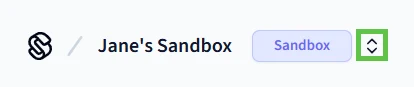
In the upper-left corner, click the workspace switcher.
- Click New Workspace.
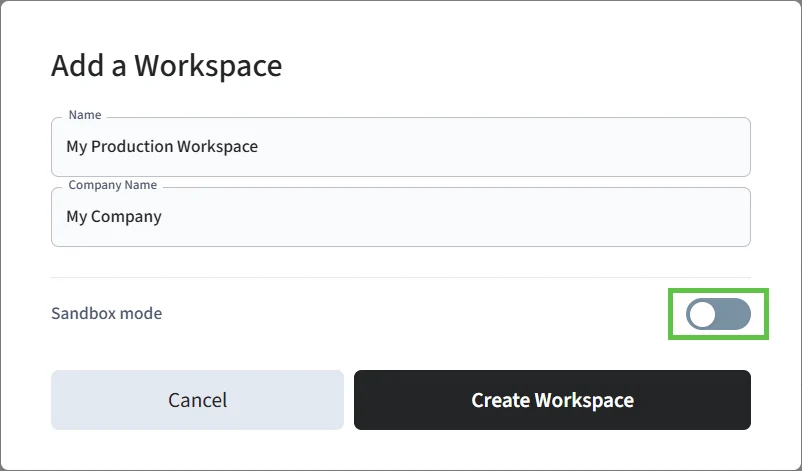
- In the Add a Workspace dialog, type a name for your new workspace and your company name.
-
Disable Sandbox mode.
- Click Create Workspace.
ASSA ABLOY Visionline Access Control System
Step 8: Create a Production Workspace
Learn how to create a production workspace for your production Visionline mobile key app.
If you did not create a Seam production workspace during the development phase for your Visionline mobile key app, you must create a new production workspace to connect your Visionline production account to Seam. If you did create a production workspace already, you can choose to continue using this workspace or to create a new one.
To create a production workspace.