> ## Documentation Index
> Fetch the complete documentation index at: https://docs.seam.co/llms.txt
> Use this file to discover all available pages before exploring further.
# Seam Bridge
> Use Seam Bridge to connect on-premises access systems to Seam.
## Overview
Seam Bridge is a lightweight app that brings your on-premises access system online—without exposing any ports to the public internet.
Install it on a computer in the same local network as your access system. Seam Bridge creates a secure tunnel between your on-premises system and Seam Cloud, handling all the encryption and authentication for you.
With Seam Bridge, you get the reliability of a local system, plus the flexibility of the cloud.
It is important to understand the difference between Seam Bridge and smart
lock Wi-Fi bridges. Seam Bridge is specifically designed to connect
on-premises access systems to the Seam platform. On the other hand, Smart lock
Wi-Fi bridges enable remote management of smart lock devices that do not have
integrated Wi-Fi connectivity. That is, a smart lock Wi-Fi bridge uses a
short-range communication protocol, such as Bluetooth, to connect one or more
locks to the internet through a property's local Wi-Fi network.
***
## Getting Started
Download the Seam Bridge application onto an on-premises computer. Then, pair Seam Bridge with your Seam [workspace](/core-concepts/workspaces/index) and connect the on-premises access system to Seam. You install and pair Seam Bridge while you are connecting your on-premises access system to Seam. That is, the [Connect Webview](/core-concepts/connect-webviews/index) that you use to connect your on-premises access system to Seam walks you through the process of downloading and pairing Seam Bridge.
For detailed information, see the setup instructions within the [system integration guide](/device-and-system-integration-guides#access-control-systems) for your on-premises access system.
***
## **Download Seam Bridge**
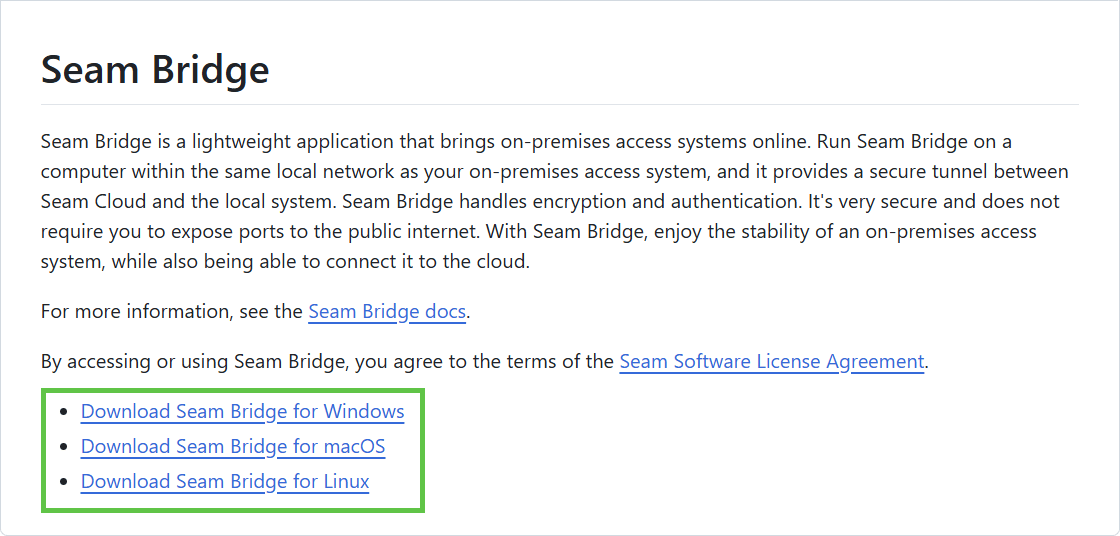
In a web browser, go to [the Seam Bridge repo](https://www.seam.co/seam-bridge/releases/latest) and download the latest version of the Seam Bridge application for the appropriate operating system.
 ***
## System Setup Guides
Please refer to these guides to set up the Seam Bridge application.
***
## Troubleshooting Seam Bridge
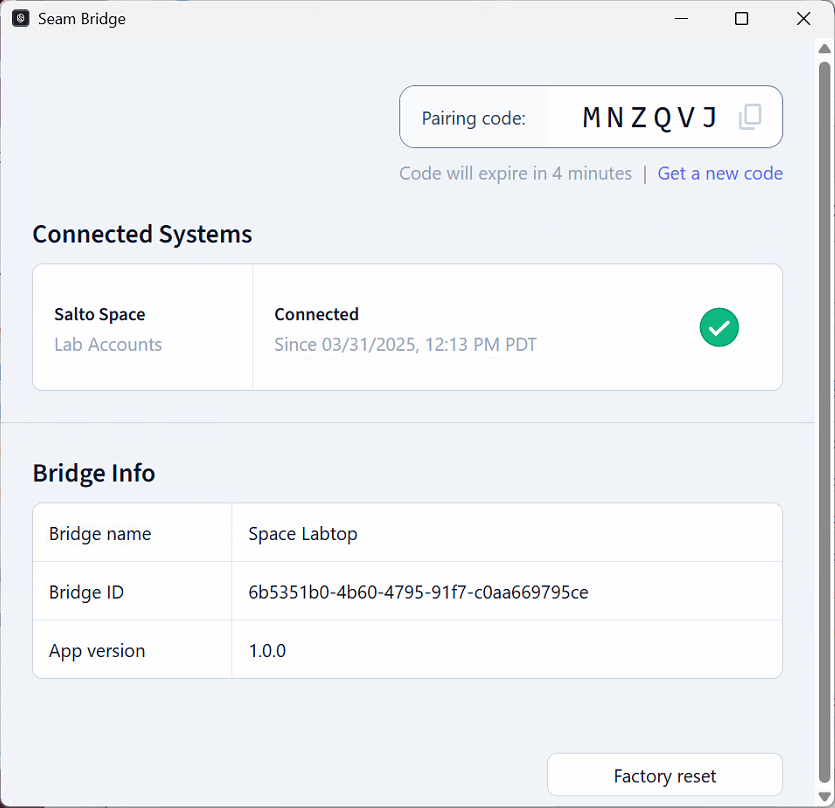
If issues affect the connections between Seam Bridge, your on-premises access system, and the Seam platform, the Seam Bridge app displays status, error, and other information to help you understand and troubleshoot these issues.
The **Connected Systems** area displays the status of each connection. A green checkmark indicates a healthy connection.
The Seam Bridge app also displays communication errors at the top of the window.
***
## System Setup Guides
Please refer to these guides to set up the Seam Bridge application.
***
## Troubleshooting Seam Bridge
If issues affect the connections between Seam Bridge, your on-premises access system, and the Seam platform, the Seam Bridge app displays status, error, and other information to help you understand and troubleshoot these issues.
The **Connected Systems** area displays the status of each connection. A green checkmark indicates a healthy connection.
The Seam Bridge app also displays communication errors at the top of the window.
 ***
## Next Steps
Go to the setup instructions within the [system integration guide](/device-and-system-integration-guides#access-control-systems) for your on-premises access system. These instructions describe how to pair Seam Bridge with your workspace and then connect your on-premises access system to Seam through Seam Bridge.
***
## Next Steps
Go to the setup instructions within the [system integration guide](/device-and-system-integration-guides#access-control-systems) for your on-premises access system. These instructions describe how to pair Seam Bridge with your workspace and then connect your on-premises access system to Seam through Seam Bridge.